
Luci vs Pixels

Luci vs Pixels

Two mood trackers that both turn your days into a grid of color. One keeps it to a single tap and lets the picture speak. The other asks a little more of each day and tells you what it found. Let's go over the various categories to see which one is stronger for each category.

Updated November 2, 2026Compared: Luci 4.2.1 and Pixels 2.4.0

If you have ever looked for a Year in Pixels app, you have probably found Pixels. The idea came from bullet journaling, where people color one square per day on the first page of a new notebook. Pixels put that grid on a phone years ago and has been one of the best known apps for it ever since, with over a million installs on Android alone. It is made by Teo Vogel, a single developer in Argentina, and its users tend to stay with it for years.

Luci has a Year in Pixels too, and that is where the overlap ends. Pixels is built around the grid. You rate the day from one to five, the square takes your color, and the year fills in. Luci starts with the mood and the day around it, the people, places, activities and thoughts, and reads them back to you in plain words. It is also a real journal, with free writing and over 550 guided prompts, and it keeps your entries on your phone.

So the real question is how much you want an app to do with your days once they are logged. Each of the nine sections below looks at one category, gives both apps a fair hearing, and names a winner. The table at the foot collects the verdicts, and the conclusion says who should pick which.

The two apps in brief

Luci

Version 4.2.1

A mood tracker and guided journal that finds the patterns behind how you feel, and keeps everything on your device.

Luci logs a mood in one drag, lets you tag what was going on around it, and turns those entries into plain-language observations about what moves your mood. It doubles as a journal, with free writing and over 550 guided prompts. It is made by a small independent team, needs no account, and does its analysis on your phone.
Pixels

By Teo Vogel · Version 2.4.0

A simple, colorful mood tracker where each day becomes one pixel in a yearly grid.

Pixels is made by Teo Vogel, an independent developer in Argentina, and has been around since at least 2018, with its current iPhone app released in 2023. You rate each day on a 1 to 5 scale, tag it with emotions, activities, symptoms or habits, and add a note. The days build into a calendar, a list or a Year in Pixels grid, with charts of your averages. It works offline with no account, offers an optional free cloud account for backups, runs on iPhone, iPad and Android, and is available in English and Spanish.

Look and feel

How the app looks, how it feels to use, and how fast an entry is on a day when you have no patience for it.

Luci

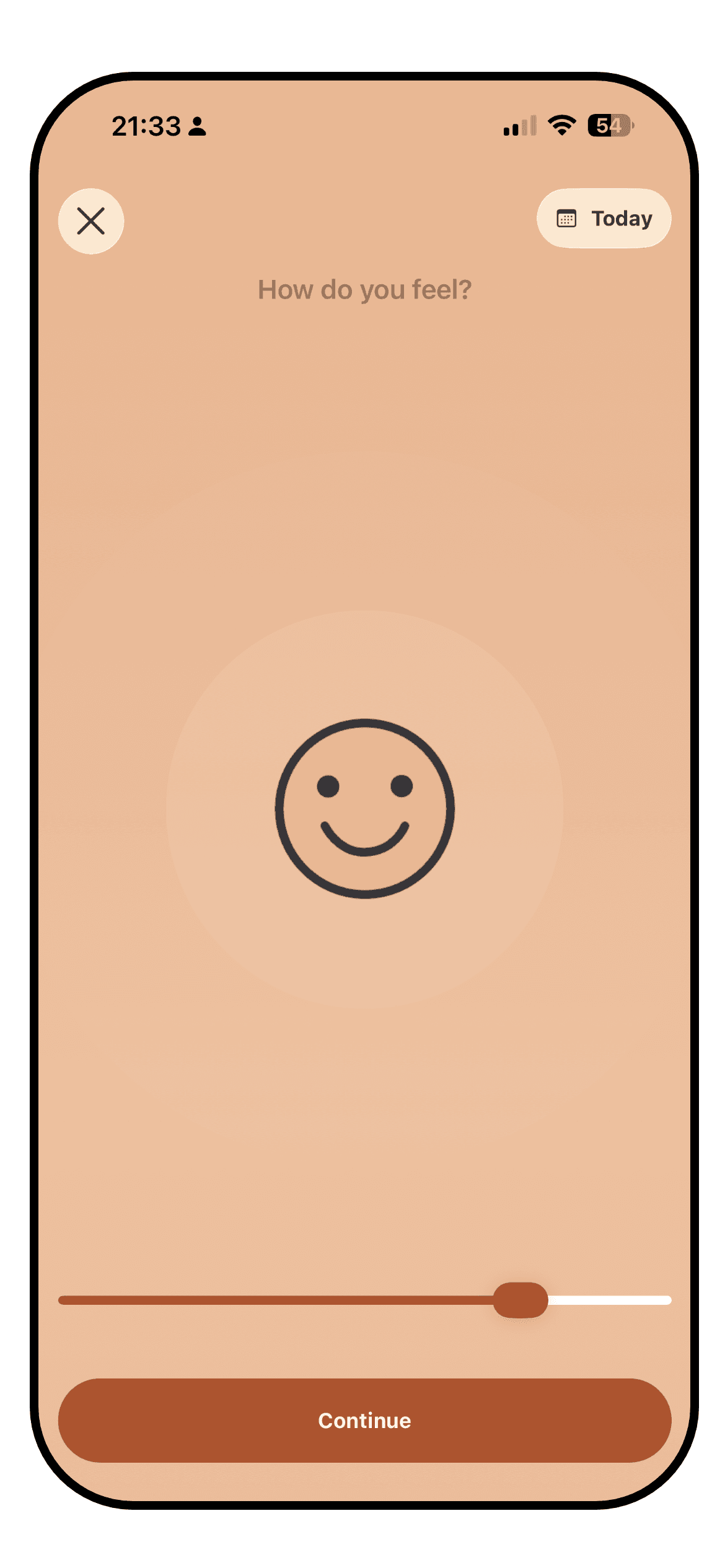
The Luci mood entry screen with the slider mid-drag and influence chips below it

Luci opens on a slider. You drag it to where your mood sits, on a simple, standard or detailed scale shown as numbers, smileys or one of the illustrated icon packs, and that drag on its own is a complete entry. Everything else is optional: the activity, emotion, people and place chips underneath, a photo, a note. The screen is warm and unhurried, with a lot of white space, and the mood is always the first thing you see.

The cost of that depth is a busier interface once you start using it fully. Chips are grouped by kind, so the entry screen grows as you add things to track, and the statistics tab is a stack of cards that rewards a scroll. Luci's own Year in Pixels is one card among many there, where in Pixels the colored calendar is the home screen.

Pixels

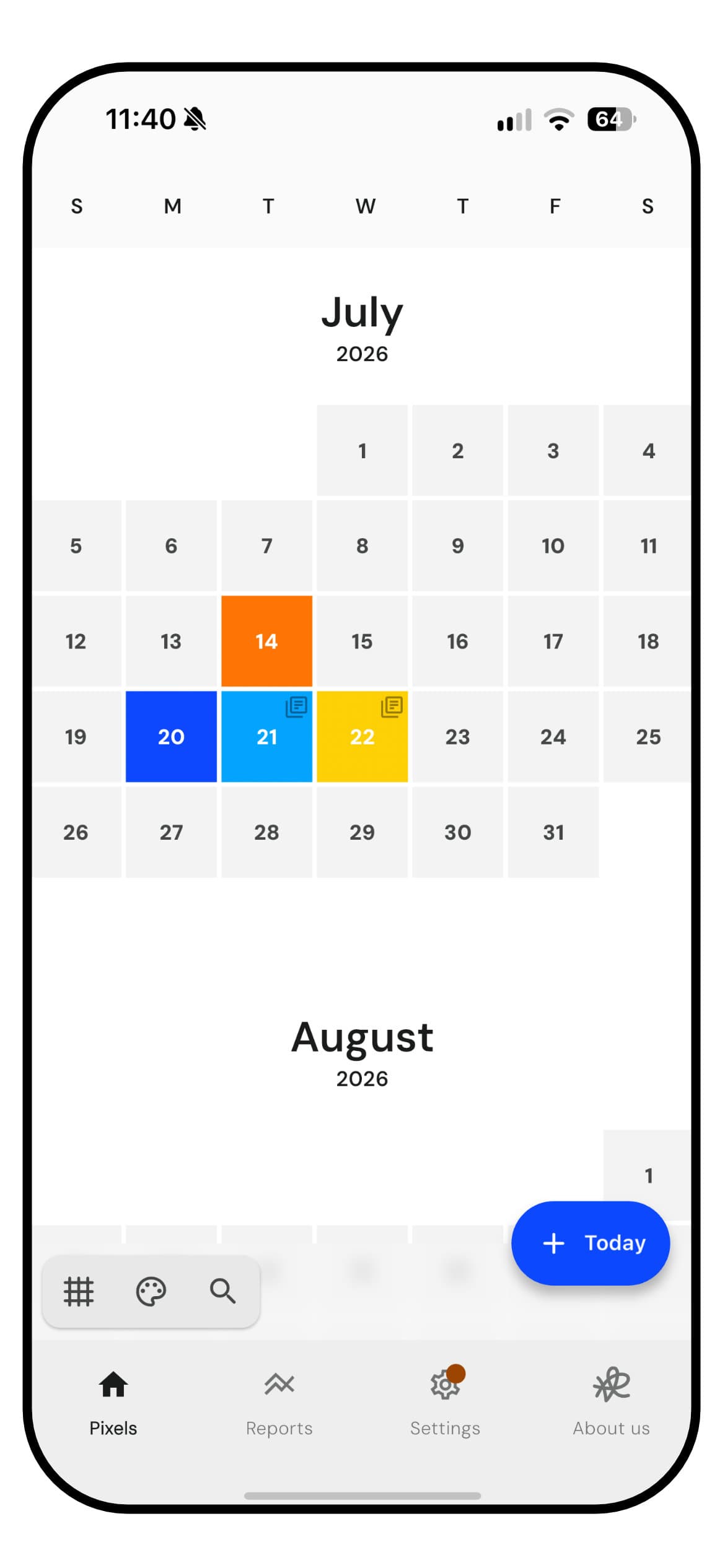
The Pixels home screen, a month calendar with a few days colored by mood

Pixels is about as simple as a mood tracker gets. The home screen is a calendar of your days, one month after another. You tap today, pick one of five moods, and the square takes its color. Tags and a note are there if you want them. A day holds one entry, so a day that turns halfway through is still one color. A button switches the calendar to a list, or to a Year in Pixels grid that runs down or across the screen.

The design has not kept up with the idea. It follows Google's Material style rather than feeling at home on an iPhone, with large buttons and none of the newer iOS look. The free version shows plenty of ads. Search works, and filtering by tag or score highlights every matching pixel, but it takes several taps to switch a filter on and off and there is no way to clear them all at once.

WinnerLuci

Luci. Pixels' one-tap day and colorful calendar are easy to like, but the app looks dated on an iPhone, the free version is busy with ads, and filtering takes too many taps. Luci's check-in is just as quick and does more, though it is also busier once you use it fully.

Insights

What you can learn from your own entries once you have a few weeks of them: charts, correlations, trends, and how clearly they are explained.

Luci

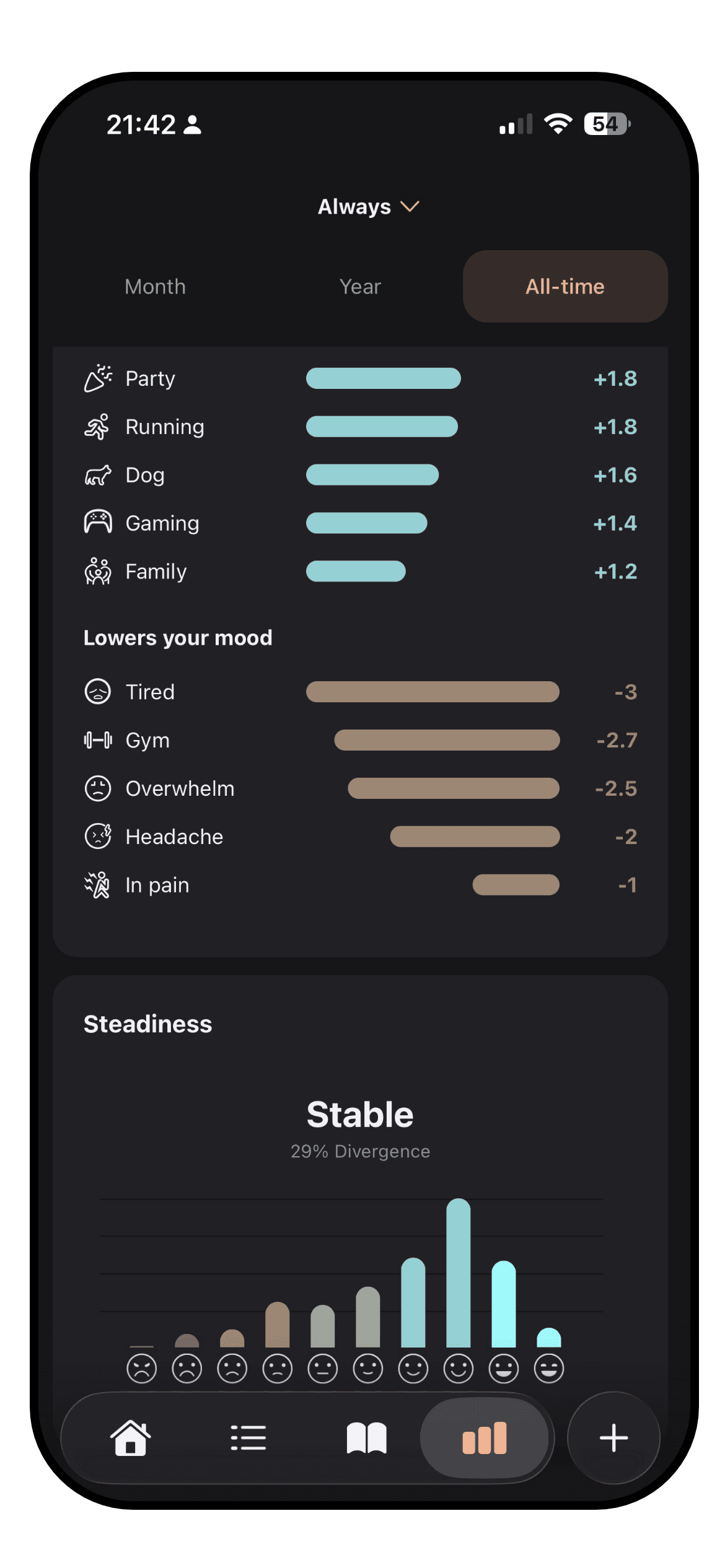
The Luci statistics screen with a trend line and ranked influences

This is the category Luci is built around. Every entry can carry a lot of information, from people, places, activities and emotions to sleep and the thoughts you had. Luci reads across all of your entries and says, in a sentence, what tracks with your better and worse days. It ranks each thing you tag by how far it shifts your average, so you can see that a particular meeting costs you more than a short night does. Each observation says how many entries it rests on, so five weeks of evidence carries more weight than five days.

Under the plain-language patterns are the charts: mood trend over any period, averages you can compare month against month, mood steadiness, time of day, day of the week, weather, location, steps and a word cloud drawn from your notes. The period in pixels view stretches from a single month to your whole history. It all runs on your phone, with no connection or account required, and the pattern discovery is part of the free app.

Pixels

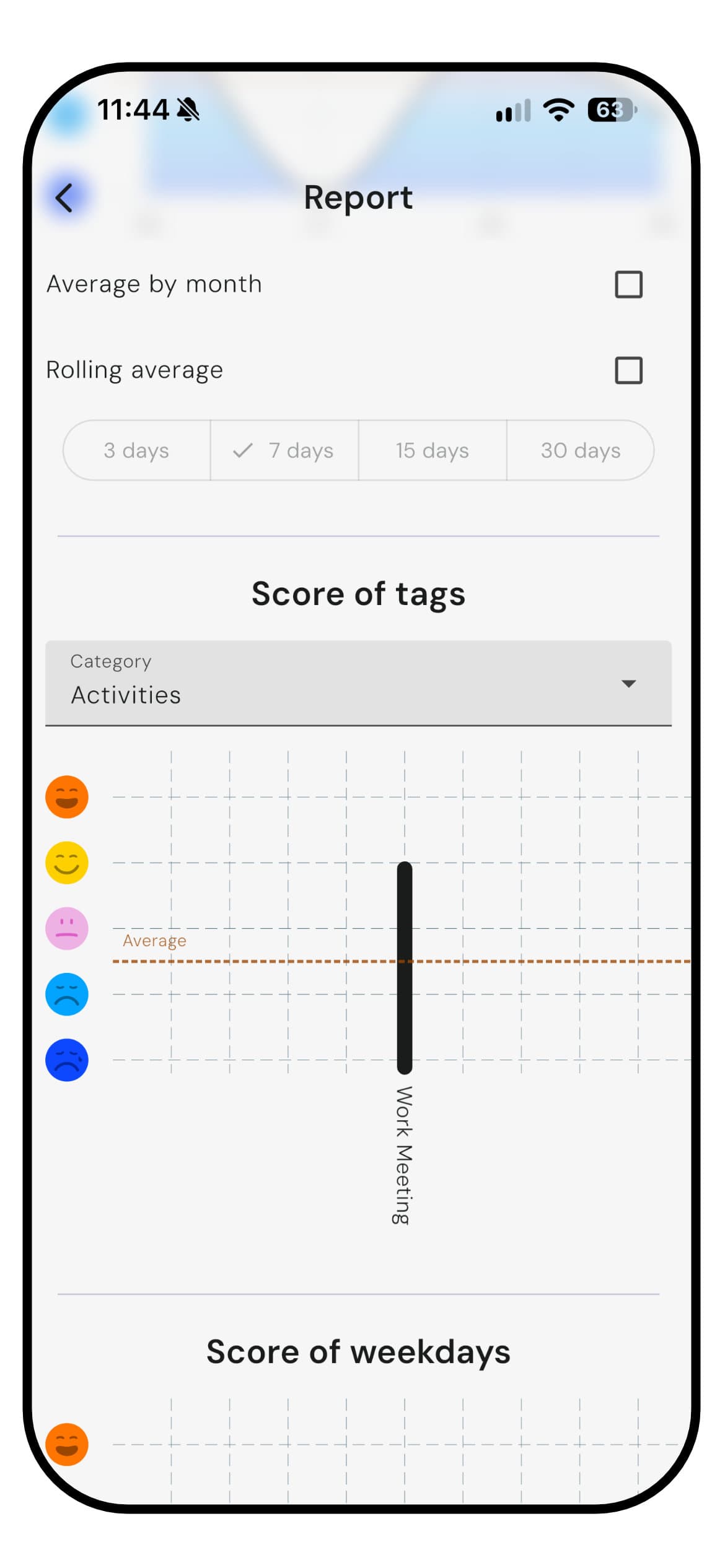
The Pixels report screen scoring an activity tag against the average mood

The grid is Pixels' first insight, and a good one. Seasons, hard stretches and long runs of fine days show up at a glance. Behind it, the report charts your mood over time with an optional rolling average of 3 to 30 days, your average by month, and a score for each tag and each day of the week against your overall average, so you can see whether walks or a good night's sleep come with better days. You can also search your notes, or filter by tag or score, and the grid highlights every matching day.

What Pixels does not do is interpret. It shows the averages and leaves the reading to you. There is no plain-language summary of what it found, and with no health, weather or location data, the charts can only draw on what you tag by hand.

WinnerLuci

Luci. Pixels' grid and charts are clear and free, and its tag scores are a useful start. Luci explains its findings in sentences, ranks what moves your mood by size, and draws on far more of your day to do it.

Customization

What you can change: the mood scale, the things you track, the icons, the colors, the layout.

Luci

A long list of user-added activities and emotions in Luci

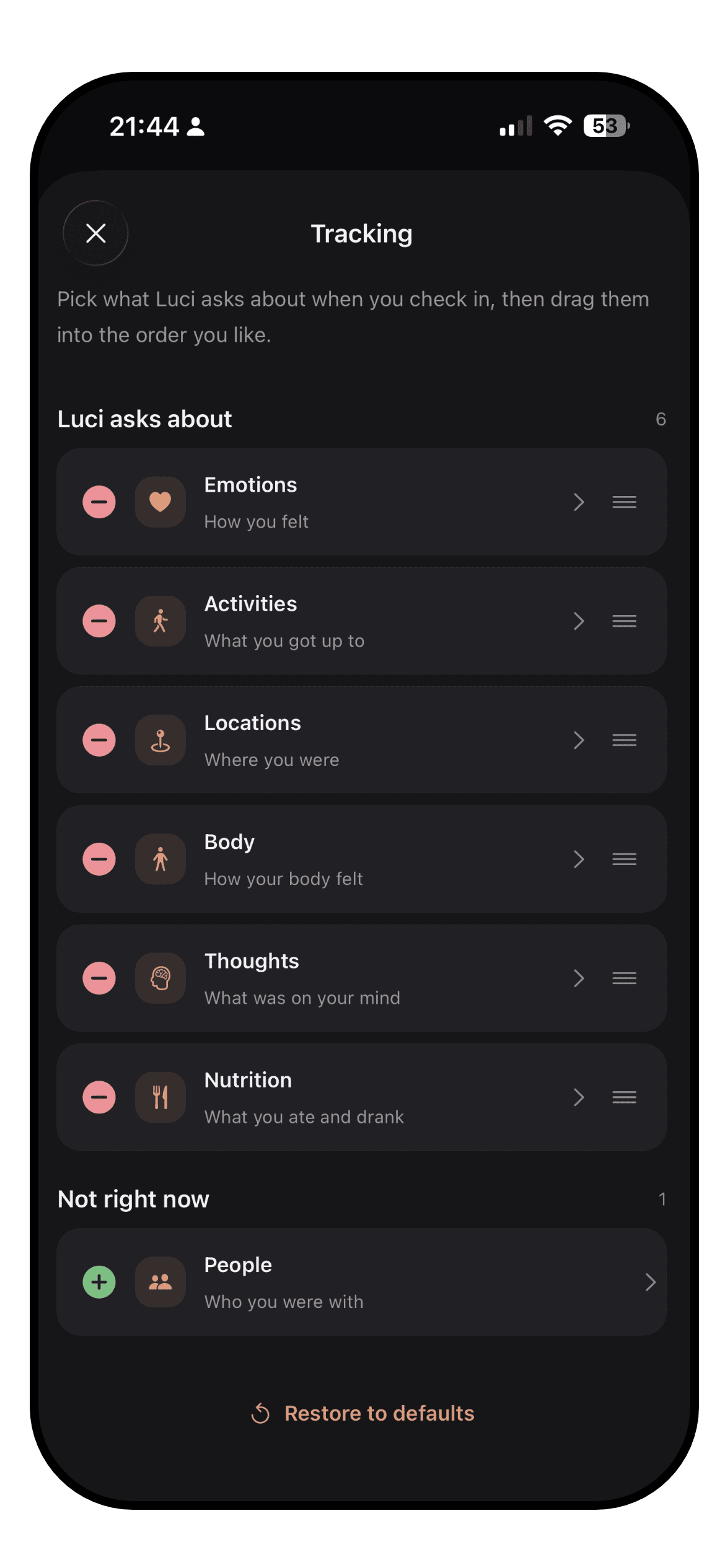
Luci lets you choose the mood scale itself: simple, standard or detailed, shown as numbers, Roman numerals, smileys, or one of five illustrated packs with cats, dogs, frogs, ghosts and glimmers. Everything you track is a chip you can add, rename, remove or pin, across activities, emotions, people, places, nutrition, physical state and thought patterns. The cards on the home screen and the statistics screen can be added, removed and reordered.

Looks are covered too. There are eight color themes, each in light and dark, and the extra themes and icon packs are unlocked with Sparks, which you earn simply by logging. The colors of the mood scale follow the theme you pick, so you choose a palette rather than five colors one by one.

Pixels

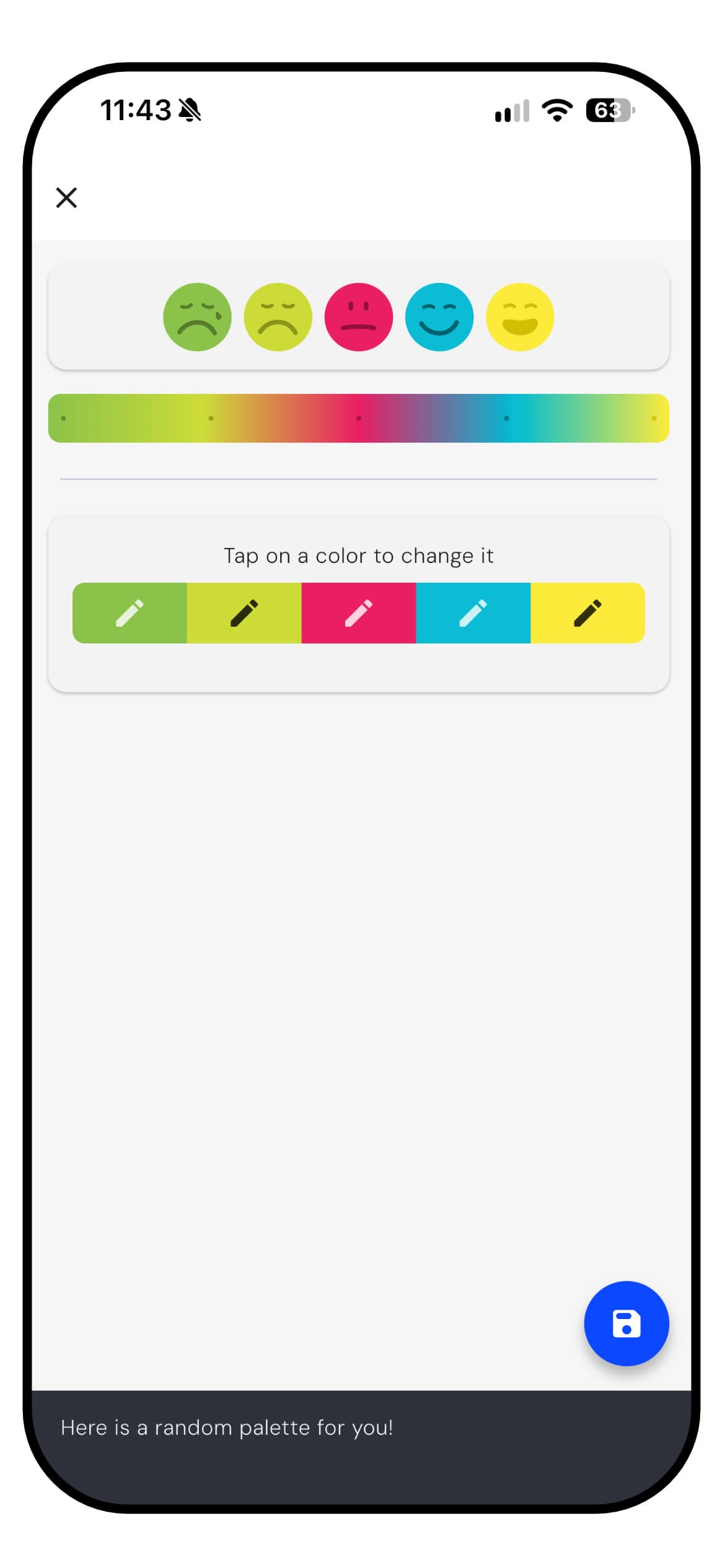
The Pixels mood color picker, five mood faces with a color to tap for each

In Pixels you pick the color of each mood yourself, which matters more than it sounds in an app where the colors are the whole picture. Tags are grouped into categories you create and name, for emotions, activities, symptoms, habits or medication, and a library of ready-made tag templates gets you started. Color themes are bought with coffee beans, which you earn by watching ads. The one-off Pixels+ purchase adds more color options, several reminders a day and your own reminder text.

The scale is the fixed part. Every day is rated from one to five, and there is no finer scale and no choice of icons. Users often praise how far Pixels can be shaped to track things besides mood, and that flexibility comes from the tags rather than from the scale itself.

WinnerTie

A tie. Pixels lets you color the grid exactly as you like and turn its tags to almost any use. Luci lets you choose the scale itself, how it is drawn and which cards you see.

Journaling

How good it is as a journal, for people who write more than a line. Formatting, prompts, photos, voice, and reading it back.

Luci

A guided journal prompt in Luci, part-way through an answer

Luci is a journal as much as a tracker. A note can use headings, bold and italics, and carry photos and voice notes. When the blank page is the obstacle, there are over 550 guided prompts across twenty topics, from stress and grief to money and motivation, each with optional guidance on how to approach it and a short tip drawn from cognitive behavioral therapy at the end of a session. You choose the topic, or take the daily prompt.

Because prompts repeat, Luci can show what you wrote last time the same question came round, which is the clearest evidence of change most people ever get. Your notes also feed the statistics: the word cloud and the journal moments card read them back to you. And on the days you want no prompt at all, the page is blank and yours.

Pixels

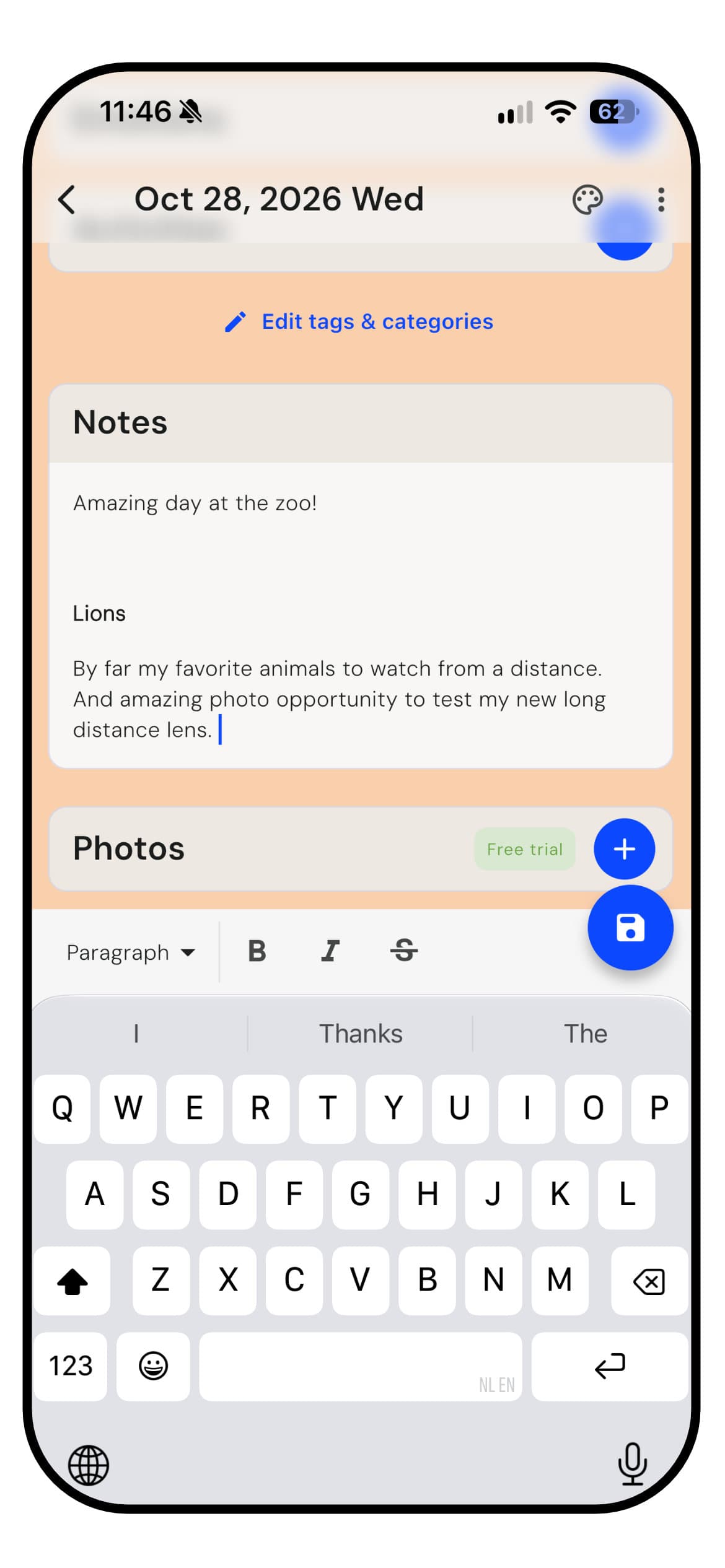
A Pixels entry with a formatted note and the formatting toolbar

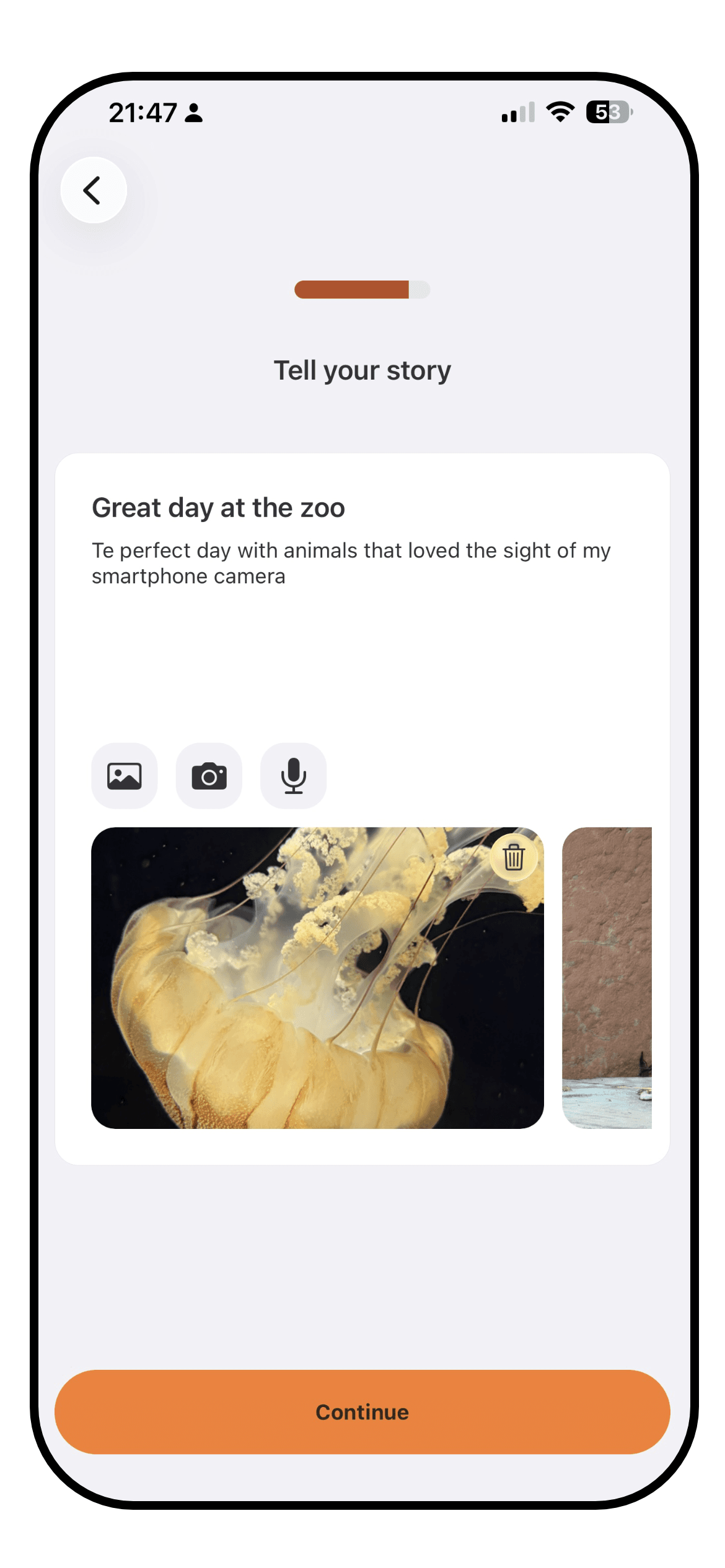
Every pixel can carry a note, and since spring 2026 notes support rich text formatting, so a longer entry can have some structure. With the Pixels Cloud+ subscription you can add up to three high quality photos to each day. For many people a few lines beside the day's color is all the journal they want, and Pixels does that well.

There are no guided prompts, no voice notes, and nothing that brings an old entry back to you. Photos are the one part of journaling that costs money. Writing in Pixels is a note on a day, and the app is happy for it to stay that way.

WinnerLuci

Luci, by a distance. Over 550 guided prompts, formatting, photos and voice notes, against a formatted note with photos on a subscription. Pixels' notes are free and quick, which suits a short daily habit.

Other features

Everything outside the core loop: goals and habits, reminders, widgets, articles, achievements, watch apps.

Luci

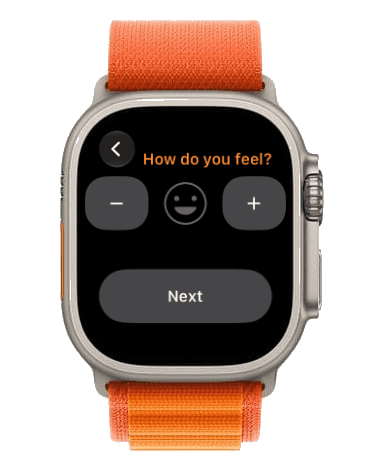
Logging a mood in the Luci app on an Apple Watch

Outside the core loop Luci has home screen and lock screen widgets, an Apple Watch app with its own complications, reminders, and a set of mental health articles on topics like thinking traps and CBT that cite their sources at the foot of each piece. Logging earns Sparks, which unlock themes and icon packs, and there are achievements for keeping at it.

What Luci does not have is a way to turn a chart or a month into a picture to share. The year in pixels is there to read rather than to post.

Pixels

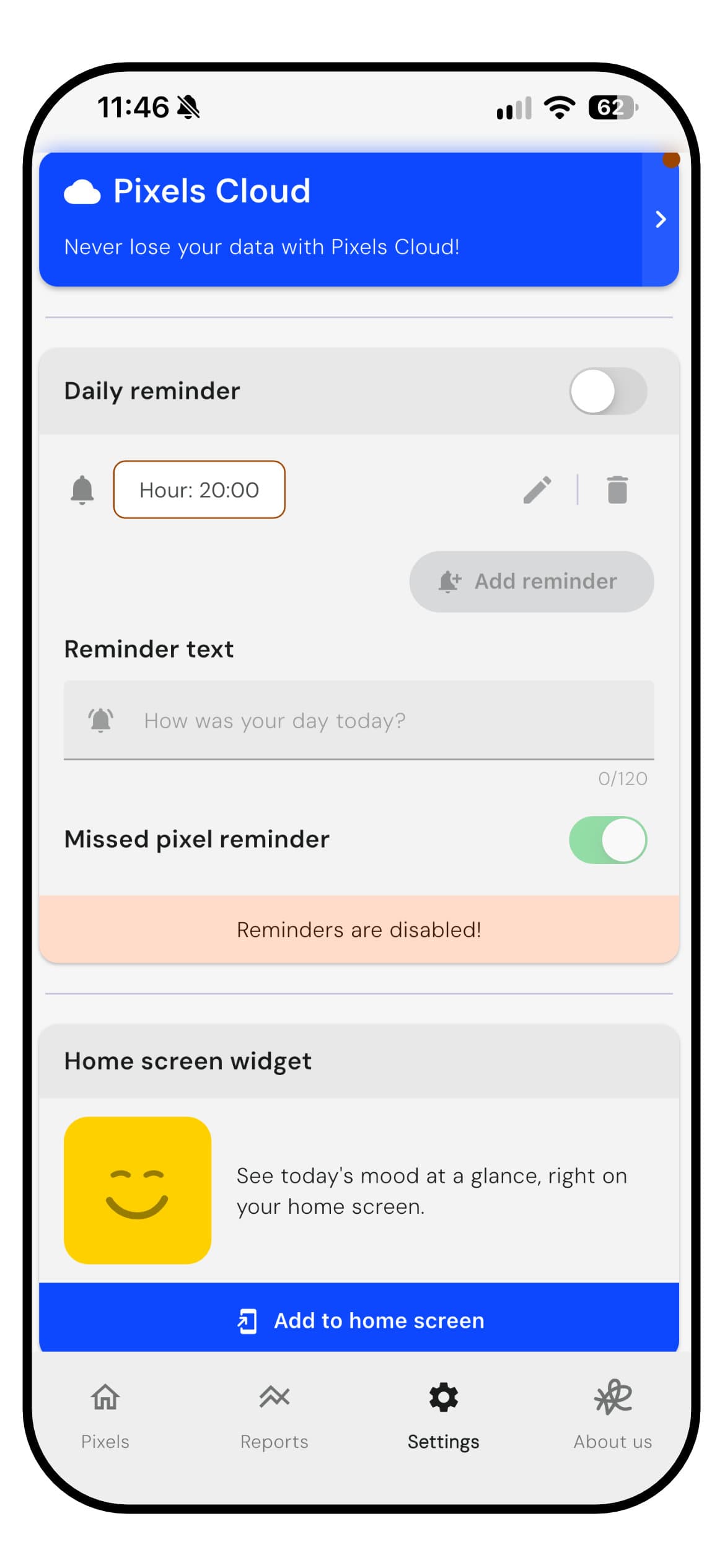
The Pixels settings with Pixels Cloud, daily reminders and the home screen widget

Pixels has a daily mood widget, a daily reminder and a second one for a day you missed, a password lock and data export. Since October 2026 it can turn your pixels, a month or any chart into an image, with a choice of gradient background and aspect ratio, which suits a grid this nice to look at. There is also a Discord community where you can follow the app's development and talk to its developer.

There is no Apple Watch app and no reading library. Pixels has no streaks or achievements, and says so with some pride. The one reward is coffee beans, earned by watching ads and spent on color themes. Its extras are about looking back at the grid and sharing it.

WinnerLuci

Luci. A watch app, articles, achievements and Sparks, against widgets and very good sharing. If posting your year is part of the fun, Pixels does it better.

Context and integrations

How much of the world around an entry the app can capture, by hand or from your phone: sleep, steps, weather, places, people, health data.

Luci

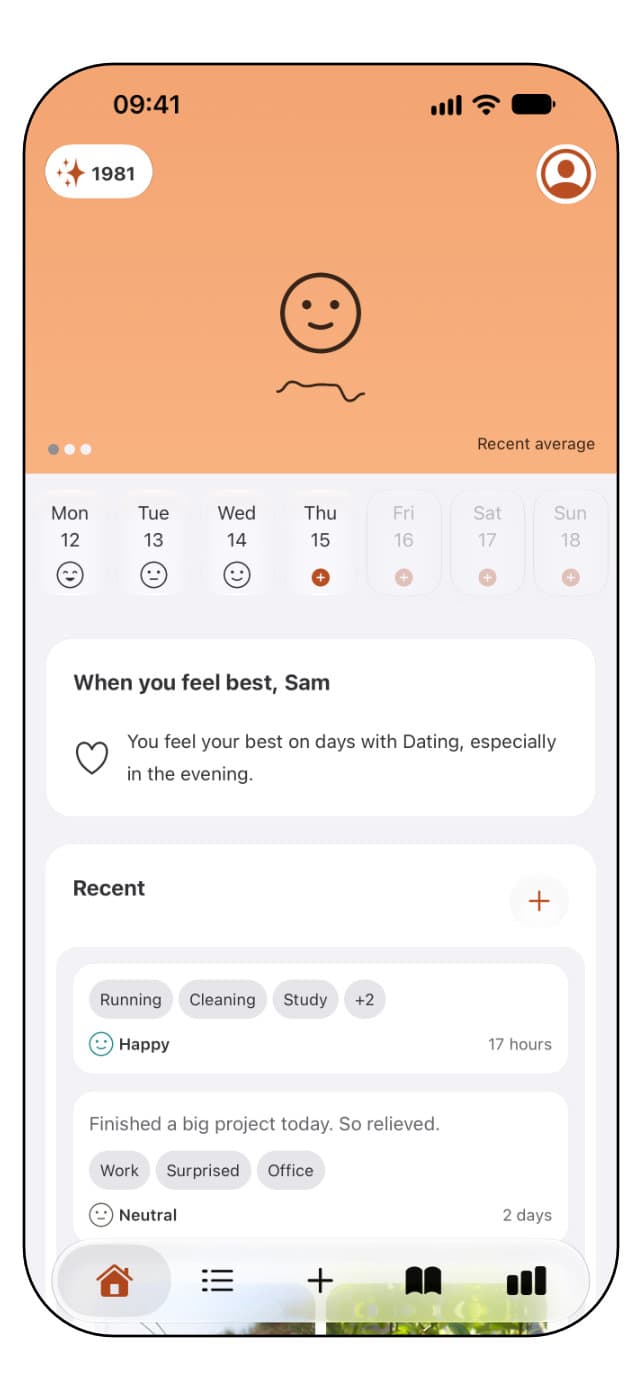
The Luci home screen with recent entries, their chips, and when you feel best

An entry in Luci can carry a lot of the world around it. People, places and activities are chips. Sleep and steps come in from Apple Health on iPhone once you allow it, so they sit beside a mood without being typed. A geotag attaches your location and the weather at the moment of writing, and a place can be pinned to a chip so it is selected automatically when you write from there. Nutrition, energy, rest and tension have their own sets, and so do recurring thought patterns like worry or self-judgement.

All of that becomes something the statistics can use. The steps card, the weather card, the location card and the people card each show how your mood moves with that input, and the impact ranking puts them all on one list. Health data read this way stays on your device. The limits are real, though. Luci reads sleep and steps only, and on Android the health connection is not currently available.

Pixels

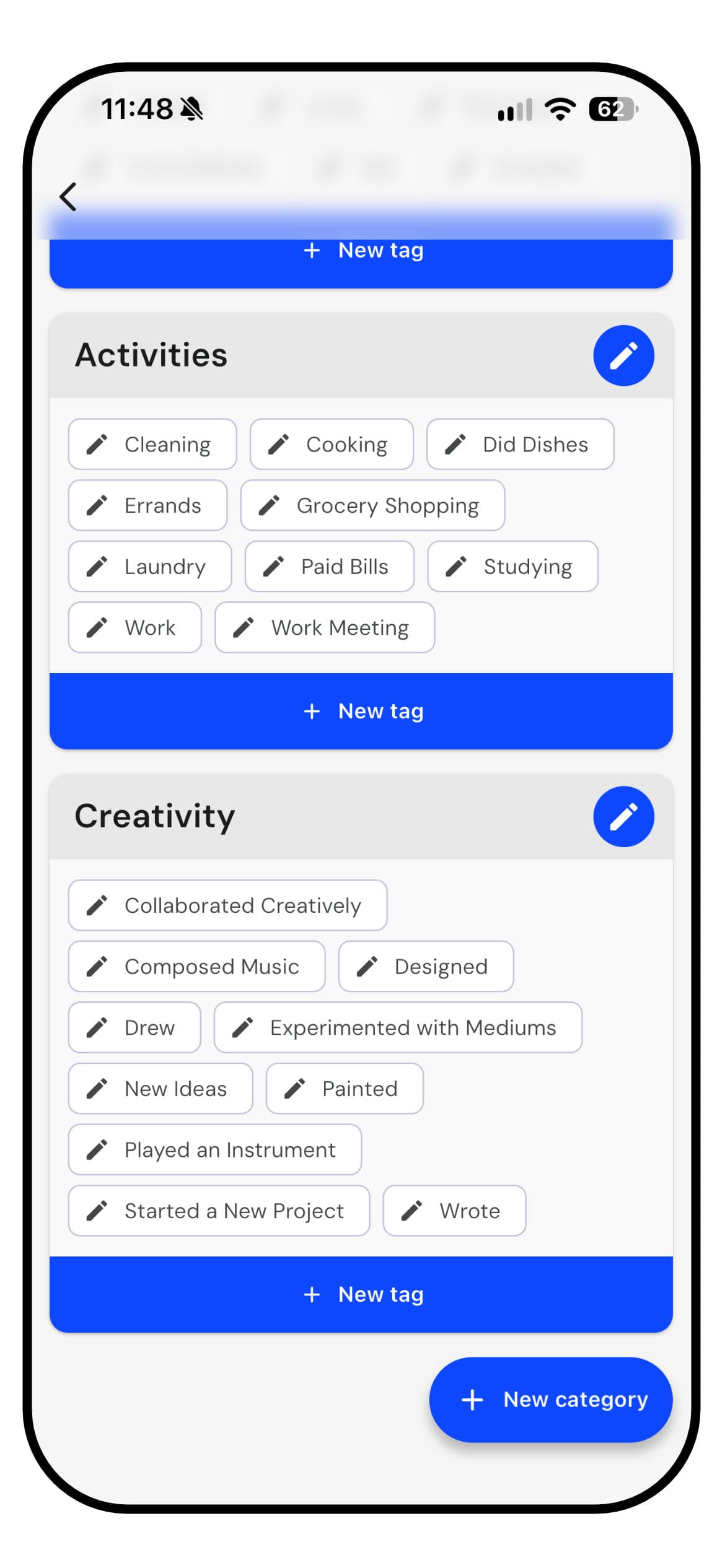
The Pixels tag editor with Activities and Creativity categories

Context in Pixels is whatever you tag. Emotions, activities, symptoms, habits, medication and the menstrual cycle can all be tracked as tags, and the reports show your average mood for each one. Because you create the categories, you can track nearly anything, and many people use Pixels as a symptom or cycle tracker beside their mood.

Nothing is filled in for you. Pixels does not connect to Apple Health or Google Fit, and it records no weather or location, so sleep, steps and the weather have to be entered by hand as tags if you want them. That keeps the app simple, and it means the context is only as complete as your tagging.

WinnerLuci

Luci. People and places as data of their own, plus sleep, steps, weather and location filled in for you. Pixels' tags can cover almost anything, as long as you add it yourself.

Privacy

Where your entries live, who can read them, whether an account is required, and how easily you can leave with your data.

Luci

Luci needs no account and no email address. Entries live on the device you wrote them on, and every statistic is calculated there too, so the app works in full with no connection. Sync is off until you turn it on. Switch it on and your journal follows you between phone, tablet and watch, encrypted, tied to an account you create at that point and not before. Nothing you write is used to train anything, and nothing is sent to a model to be read.

Leaving is a two-tap operation: export the lot as a readable PDF or as a backup file you can import again later. If you never turned sync on, there was never anything on our side to delete; if you did, there is a page in the footer that explains exactly how to remove it. Purchases go through Apple or Google, and crash reports are optional and carry no journal content.

Pixels

Pixels also keeps your entries on your device, works offline and needs no account. You can lock it with a password, and an optional free Pixels Cloud account backs your entries up and keeps them in step between devices.

The fine print is less tidy. The free version shows ads, and its privacy policy, last updated in 2023, names Google Analytics for Firebase, Crashlytics and Google's AdMob, with servers in the United States. None of that touches the core promise that your entries stay on your phone, and it is still more third-party code than a journal strictly needs.

WinnerLuci

Luci, narrowly. Both keep entries on the device, need no account and back up only if you choose. Luci adds on-device statistics and no analytics or ad SDKs. Pixels' policy lists analytics and ads, and is due an update.

Platforms

Where the app runs: iPhone, Android, iPad, watch, desktop, and whether your entries follow you between them.

Luci

iPhone, iPad, Apple Watch with its own app and complications, Mac with Apple silicon, Apple Vision, and Android. With sync on, one journal across all of them. Widgets on iOS and Android home screens, and the app in eleven languages.

Pixels

iPhone, iPad and Android, with the iPad app also running on Macs with Apple silicon. There is no Apple Watch app. A Pixels Cloud account keeps your entries in step between devices. English and Spanish.

WinnerLuci

Luci. Both cover iPhone, iPad and Android. Luci adds a watch app and nine more languages.

Pricing

What is free, what is paid, and roughly what the paid tier costs. Prices vary by country, so these are the options and a rough figure, not a quote.

Luci

Free, with no account and no time limit: mood logging, journaling, photos and voice notes, the statistics and pattern discovery, six of the twenty prompt topics, widgets and the watch app. Luci Pro adds sync across devices, the remaining guided prompt topics and the advanced statistics.

Pro is a subscription at roughly $6 a month or $35 a year, or a one-off lifetime purchase at roughly $200. A subscription bought on one platform works on the other once you sign in. There are also optional tips, which buy nothing and simply support a small team.

Pixels

Pixels is free to use in full. Tracking, tags, notes, the grid, the reports, reminders, widgets, export and cloud backup cost nothing. The price is ads. The free version shows plenty of them, and you can watch more to earn coffee beans for color themes.

There are two purchases. Pixels+ is a one-off of roughly $5 that removes the ads and adds more color options, several reminders a day and your own reminder text. Pixels Cloud+ is a separate subscription that adds up to three photos to each day, at roughly $2 a month or $22 a year. Pixels is one person's work, and it asks for very little of your money.

WinnerPixels

Pixels. Everything but photos is free if you can live with the ads, one small purchase removes them, and the photo subscription is cheap. Luci's free tier has no ads and includes pattern discovery, photos and voice notes, and its Pro tier costs more.

The short version

Every category from the page above, in one table. Stars are our rating on a five-point scale; platforms and pricing are listed as they are.

CategoryLuciPixelsWinner
Look and feelSlider entry, warm and roomy, busier once fully set upOne tap per day, dated Material look, many adsLuci
InsightsPlain-language patterns, ranked influences, trends, freeYear grid, tag and weekday scores, rolling averageLuci
CustomizationThree scales, eight icon sets, eight themes, custom chips, movable cardsYour own mood colors, tag categories, themes for coffee beansTie
JournalingRich text, photos, voice, 550+ prompts, compare past answersRich text notes; photos with Cloud+; no promptsLuci
Other featuresWatch app, widgets, articles, achievements, SparksWidget, missed day reminder, share as image, password lockLuci
Context and integrationsApple Health sleep and steps, weather, geotag, people, placesCustom tags only; no health, weather or location dataLuci
PrivacyOn device, no account, on-device analysis, opt-in encrypted syncOn device, no account, password lock, analytics and ads SDKsLuci
PlatformsiOS, iPadOS, Android, Apple Watch, Mac, VisioniOS, iPadOS, Android; English and SpanishLuci
PricingFree core; Pro ~$6/mo, ~$35/yr, ~$200 lifetimeFree with ads; Pixels+ ~$5 once; Cloud+ ~$2/mo, ~$22/yrPixels

Conclusion

On the count, Luci takes seven categories, Pixels takes one, and one is tied. That count says less than it seems, because these apps want different amounts of your time. Pixels is the simplest, cheapest way to watch your year turn into color. Luci gives you that same grid, and then helps you understand what is behind it.

Where Luci is stronger

  • Insight in plain words. It explains what moves your mood, ranks it by size, and keeps pattern discovery free.
  • Journaling. Over 550 guided prompts, formatting, photos, voice notes, and what you wrote last time the same question came round.
  • Context filled in for you. Sleep, steps, weather and location sit beside a mood without being typed.
  • Reach. A watch app, a finer mood scale, illustrated icon packs and eleven languages.

Where Pixels is stronger

  • Simplicity. One tap a day is a complete entry, and your colored calendar is the first thing you see.
  • Price. Every tracking and reporting feature is free, one small purchase removes the ads, and the only subscription is for photos.
  • The grid itself. Your own colors, a calendar, list or year view, and sharing that makes it look good.
  • Flexibility. Tags you create can turn it into a symptom, habit or cycle tracker beside your mood.

Choose Luci if

  • You want to know why some days are harder, and would like the app to explain what it found in plain words.
  • You want to write, with a prompt when you need one and a blank page when you do not.
  • You would like sleep, steps, weather and the people you were with in the picture without typing them in.
  • You wear an Apple Watch, want a finer scale than one to five, or want the app in a language other than English or Spanish.

Choose Pixels if

  • You want the simplest possible daily habit, a single tap before bed.
  • The Year in Pixels grid is the thing you want, and looking at it is the reward.
  • You would rather pay nothing at all and do not mind ads, or would happily pay a few dollars once to remove them.
  • You like to share your year or your month as a picture.

A fair way to decide is to ask what you want back from your entries. If the answer is "a beautiful record of how my year felt", Pixels gives you that for one tap a day and almost no money. If the answer is "to understand what in my days is behind those colors", Luci keeps the same grid and does a lot more with it, on your phone. Both are free to try, and a week of your own entries in each is a better test than any page.

How this comparison was made

Both apps were used side by side on the versions above, on an iPhone, with the free tier and the paid tier of each. Ratings are on the same five-point scale used across every comparison on this site. Pixels is a registered product of its maker and is not affiliated with Luci. Prices are rough US figures and change by country; check the store listing for yours.

Common questions

  • Does Luci have a Year in Pixels?

    Yes. Luci colors one square per day by your mood and can show a single month, a year or your whole history. If you log more than once a day, it averages the day into one square. It sits on the statistics tab, beside the patterns that help explain it.

  • Can I move my entries from Pixels to Luci?

    Luci does not import Pixels entries directly. Pixels can export your data, so your history is easy to keep. If you would like Luci to import it, tell us at [email protected], because requests are how features get prioritized.

  • Is Pixels free?

    Yes. Tracking, tags, notes, reports, reminders, widgets, export and cloud backup are all free, and the free version shows ads. A one-off Pixels+ purchase removes them, and Pixels Cloud+ is a small subscription that adds photos. Luci is free to use as well, with pattern discovery, photos and voice notes included, and an optional Pro tier for sync, the full set of prompt topics and the advanced statistics.

  • Can I use Luci and Pixels together?

    You can, though there is less reason to than with most pairs. Luci has its own Year in Pixels, so logging in both mostly means doing the same check-in twice. Some people keep Pixels for the grid they have built over years and start Luci for the journaling and patterns.

  • How current is this comparison?

    The date and version numbers at the top are the honest answer. Pixels in particular ships often and added rich text notes, widgets, zoom and new reports in 2026 alone. If you spot something that is no longer true, we would rather hear about it than have you rely on it.

Try Luci for yourself

Free, works offline, no account needed. The fairest comparison is a week of your own entries.

Download Luci on the App StoreGet Luci on Google Play