Customization
Your scale, your icons, your colors.
An app you open every day should look the way you like. Pick a theme, a set of mood icons and a scale, and try them here before you install anything.


A mood tracker asks for a small moment of your attention every day, for months. That works better when the app feels like yours. Luci lets you change how it looks and what it asks, and none of it touches your data: switch theme, icons or scale whenever you like and your history comes with you.

Try it yourself
This is Luci's mood screen. Tap a theme or a set of icons, then drag the slider and watch the screen take the color of the mood, the way it does in the app.
Color theme
Mood icons
Mood scale
Appearance
Light or dark, by hand or with the system.
A preview of the Luci mood screen in the Orange theme, Light appearance, with Smileys as mood icons.
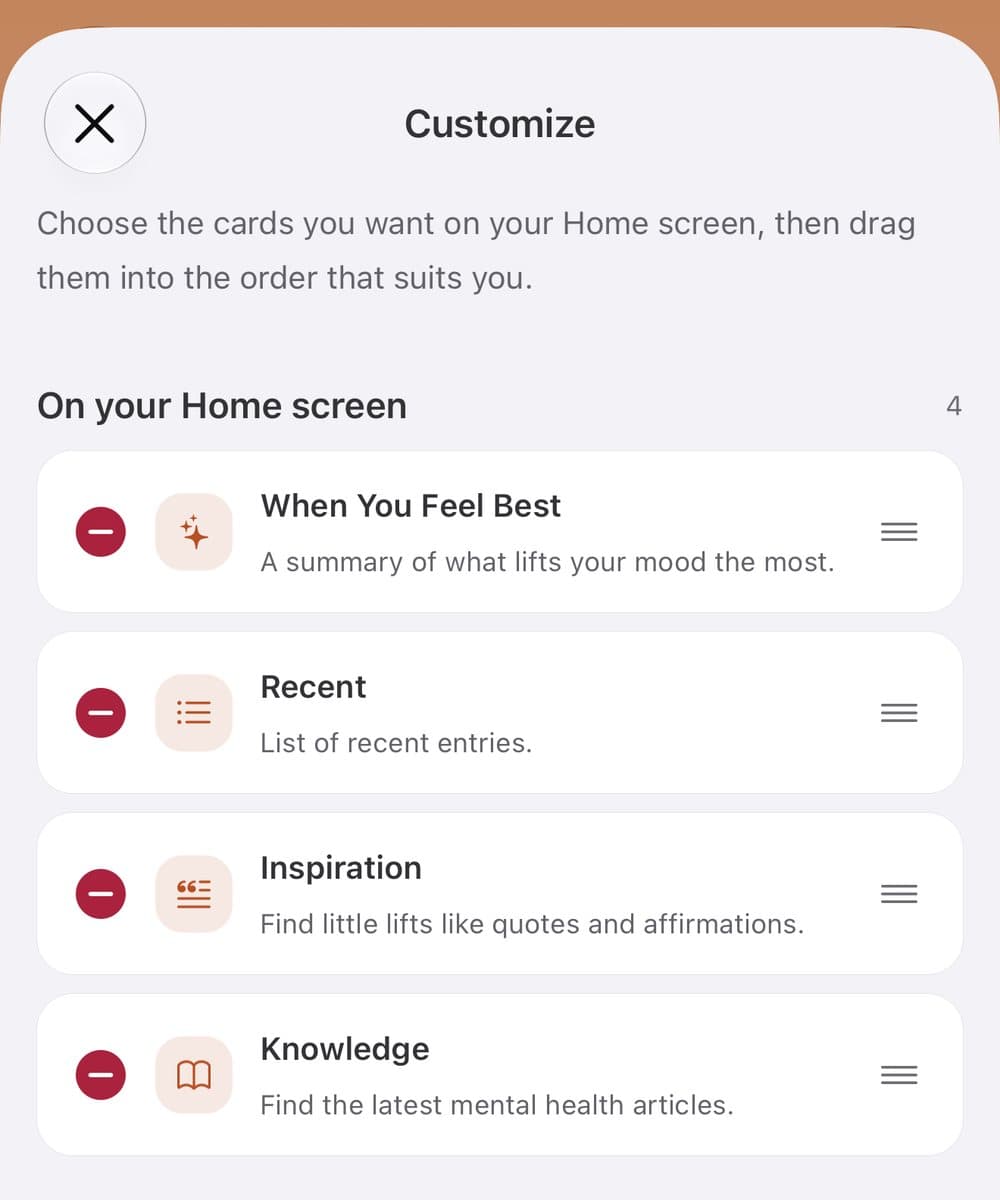
Home cards and stats cards are yours to add, remove and reorder.
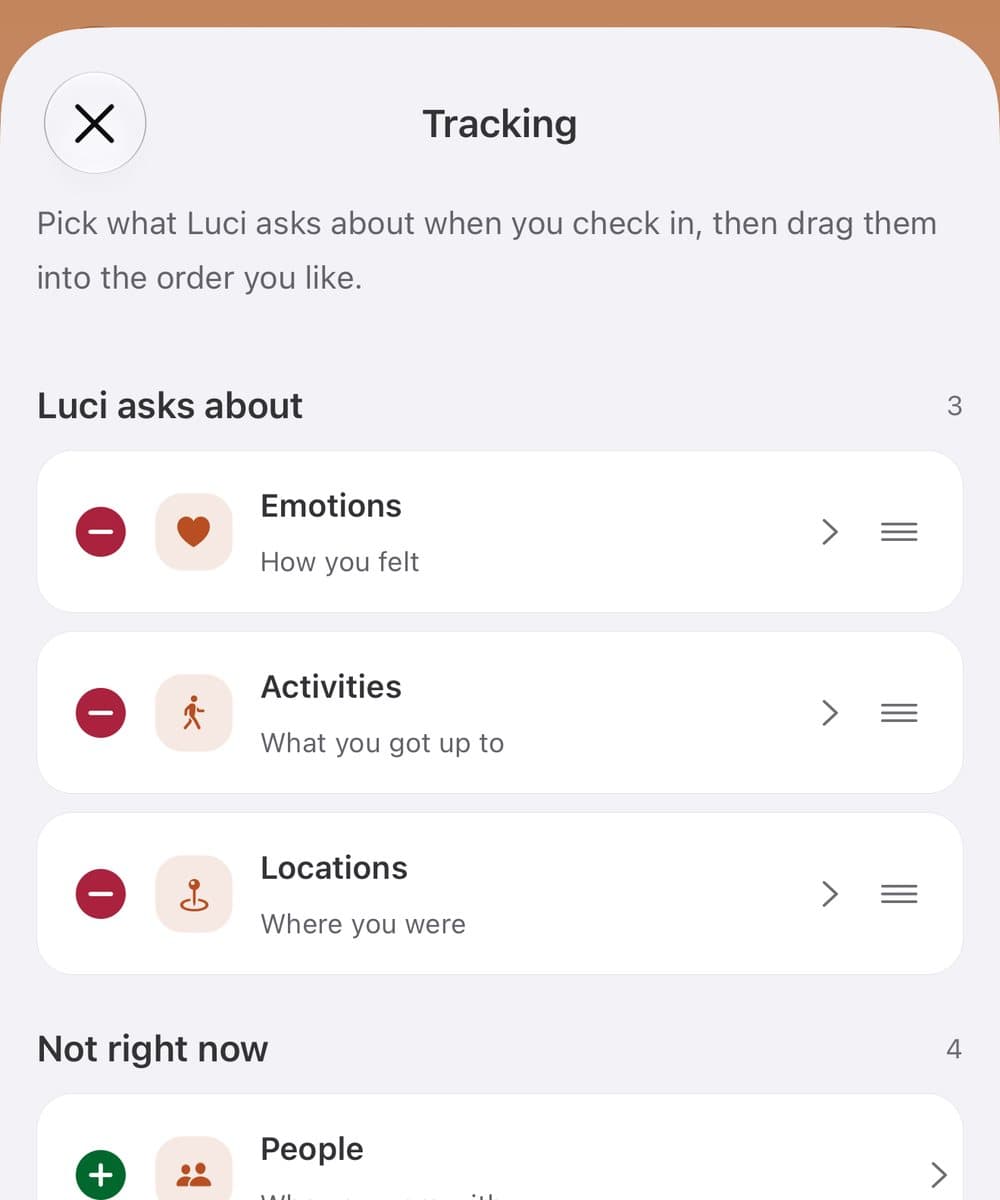
Every category is editable: emotions, activities, people, places, nutrition, body and more.
Earn sparks. Each log earns a few. Spend them on new colorways and icon packs. A small thank-you for showing up, nothing to lose.
Put the cards you use first
Home and Statistics are built from cards, and you decide which ones are there. Add the ones you read, remove the ones you skip, and drag them into your own order. If the mood trend is the first thing you want to see, it goes on top. If quotes are not for you, they go.
Track what matters to you
Luci can ask about emotions, activities, places, people, thoughts, body and nutrition. Choose which of those it asks about when you check in, and in what order, so a check-in is as short or as detailed as you want. Every category can be edited: hide the items you never use, reorder the rest, and with Premium add your own, each with an icon you pick.
Earn Sparks, unlock more
Every check-in and every reflection earns you Sparks. Spend them in the store on new color themes and mood icon packs: cats, dogs, frogs, ghosts and Roman numerals. It is a small thank-you for showing up, and nothing is taken away if you miss a day.

Who this is for
For anyone who has to like an app before they will keep opening it.
Smileys do not fit how you feel
Not everyone sees their mood in a smiley. Use plain numbers, Roman numerals, or a cat whose ears drop on a bad day. Pick the one that reads true to you.
You want a quick check-in
Switch off the categories you do not care about and a check-in is a slider and one tap. Add them back when you want the detail.
You open the app at night
Dark mode follows your phone's setting or your own choice, and every theme has a dark version tuned to stay readable.
Common questions
Can I change the color theme?
Yes. Luci has eight themes: Orange, Plum, Pink, Gold, Green, Turquoise, Blue and Gray. Orange is the default. The others are unlocked with Sparks, which you earn by logging.
Which mood icons can I choose?
Smileys, numbers, Roman numerals, glimmers, cats, dogs, frogs and ghosts. Some are free from the start and some are unlocked with Sparks.
Can I change the mood scale later?
Yes. Switch between the simple, standard and detailed scale at any time. Your history is kept.
Does Luci have dark mode?
Yes. Choose light or dark, or let Luci follow your phone's setting.
Do I have to pay to customize Luci?
No. Themes and icon packs are unlocked with Sparks you earn in the app. Adding your own custom items to track is part of Premium.
Start where you are
Luci is free, works offline, and asks for about ten seconds a day. No account needed.