Your home screen shouldn't look like everyone else's. Neither should the things you track, or the icons you track them with. Luci 4.0 is built to be more of you and less of us. Here's every way you can shape it.
Your home screen, your home base
With Luci 4.0 the Home Screen becomes a window into your life: an overall sense of your mood, your most recent pattern, all written in plain language rather than charts you have to decode. Re-order the cards so the thing you care about most sits at the top. Add new ones: a calendar to see your month at a glance, or notes to keep your thoughts close to your entries. Remove the cards you never look at. And if you use Luci for focused self-reflection, you can pin a single topic to the very top and clear everything else away. No cards, no counters, no distractions. Just the thing you came here to sit with.
What are you tracking right now?
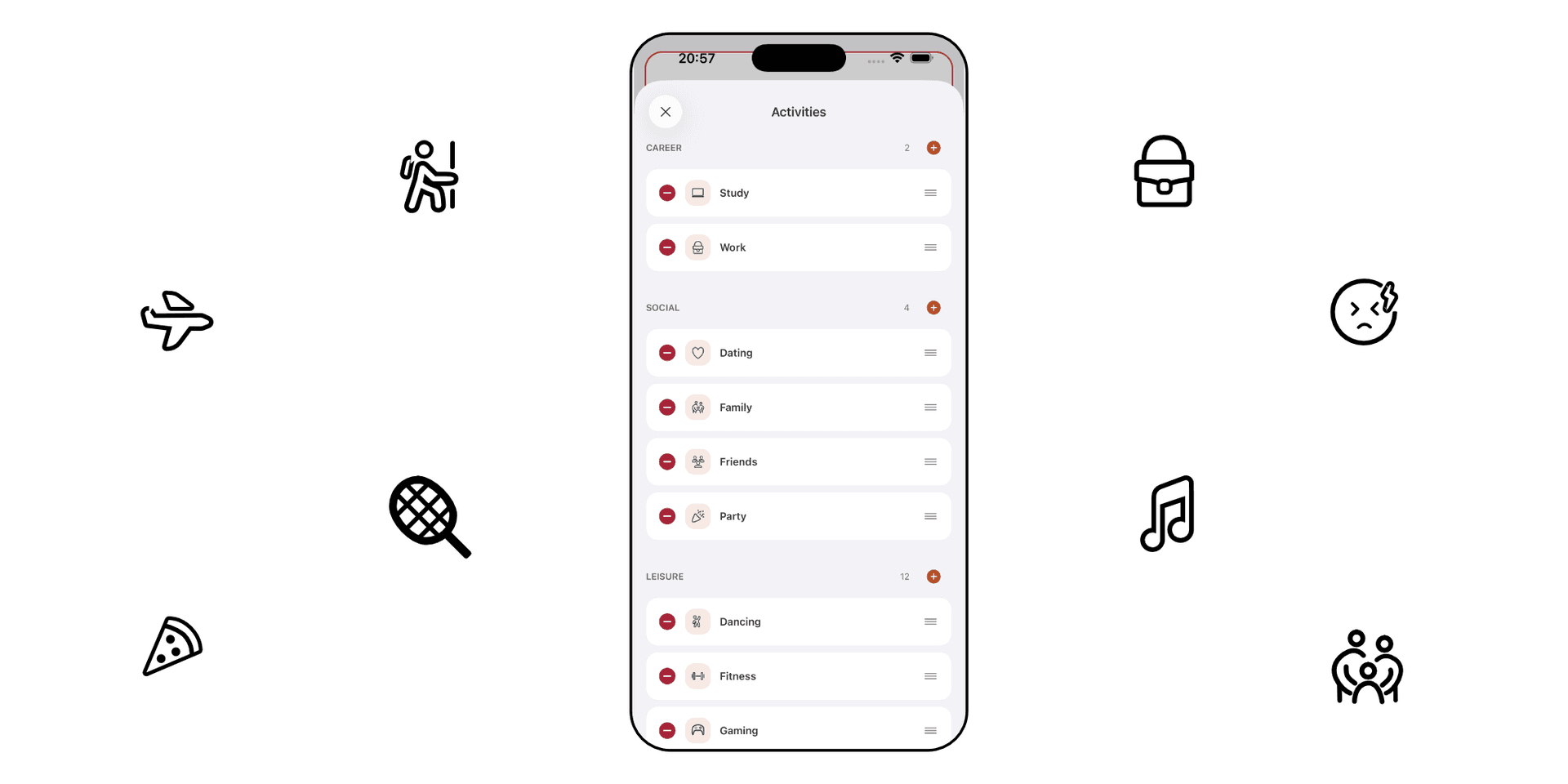
Life takes turns and twists, and what's worth tracking turns with it. The habits that mattered in January might be mute by summer time. Luci lets you track virtually any category in your life, from activities to the people you spend time with. With the new Luci we are adding body signals too: sleep, energy, appetite, and even your thoughts. We wanted to give you full control on the items to track. In addition to adding and removing items, now you can even re-order all the items and even the categories. And it's super easy to experiment because a simple tap on the reset button will bring everything right back to how they were.
Every icon, drawn by hand on iPad Pro
Making all of that possible meant solving a quieter problem first: the icons. The things we want to track are sometimes very specific and personal, and they rarely match what a stock icon library has to offer. Off-the-shelf sets are built for settings menus and toolbars, not for the texture of your life. Using one would have meant quietly narrowing what you could track down to whatever someone else had already drawn. That wasn't a compromise we were willing to make. So we drew our own. Every icon in Luci is drawn by hand on an iPad Pro, and we are very proud of each one. The icons all started from a singular canvas, so that the entire set is harmonious and balanced. Yet each icon still has its own identity. We framed each stroke around openness and expression. Making the icons light to the touch and inviting your every tap.
The same Luci, on every device
Because the icon set is ours, it renders identically everywhere: iPhone, iPad, Apple Watch, and Android. This is a giant leap from the inconsistencies we found in the past. This goes hand-in-hand with a brand new addition to Luci: optional sync*. So you can carry your journal with you across all of your devices and pick up wherever you left off. The Luci you set up on your phone is also the Luci you'll find on your watch: same layout, same trackables, same icons. So to enter your mood in a record 10 seconds doesn't even have to involve your phone. *Sync is entirely up to you. Leave it off and everything stays on your device, exactly as before. We offer backups for safe keeping your journal
As expressive as you are
Put it all together and Luci is more than just an app, it becomes a compass of our mood. A space you can re-arrange to fit your life and personality, to a tee. That's the point. The goal was never to hand you another dashboard to maintain. It's to help you understand yourself, not just track yourself, and that's easier when the tools in front of you reflect how you actually think. We can't wait to see what patterns you spot.

Luci
Bringing light to your mental health journey.