
Luci vs DailyBean

Luci vs DailyBean

Two mood trackers that both promise you will never face a blank page. One wraps your day in a cute, decorated calendar. The other helps you understand what is behind it. Let's go over the categories one by one to see which app is stronger where.

Updated November 18, 2026Compared: Luci 4.3.0 and DailyBean 4.22.1

DailyBean is one of the most popular mood journals in the world. It comes from BlueSignum, a studio in South Korea, where it is called Harukong, and it has collected millions of downloads, a Google Play Best of 2022 award and a 4.8 rating from tens of thousands of reviews. Its idea is simple and charming: pick one of five little mood beans, tap a few icons for what you did, and your month fills up with colorful beans.

Luci shares the starting point. A check-in takes seconds, and writing is optional. Where the two part ways is what happens next. DailyBean puts its effort into making the record pleasant to keep and lovely to look at, with themes, fonts, widgets and a growing set of goals. Luci puts its effort into reading your entries back to you in plain words, with guided journaling, and it keeps everything on your phone.

So the real question is what you want from the habit: a cozy daily ritual, or answers about your mood. Each of the nine sections below looks at one category, gives both apps a fair hearing, and names a winner. The table at the foot collects the verdicts, and the conclusion says who should pick which.

The two apps in brief

Luci

Version 4.3.0

A mood tracker and guided journal that finds the patterns behind how you feel, and keeps everything on your device.

Luci logs a mood in one drag, lets you tag what was going on around it, and turns those entries into plain-language observations about what moves your mood. It doubles as a journal, with free writing and over 550 guided prompts. It is made by a small independent team, needs no account, and does its analysis on your phone.
DailyBean

By BlueSignum Corp. · Version 4.22.1

A cute, icon-based micro journal where every day becomes a colorful mood bean on your calendar.

DailyBean is made by BlueSignum Corp. in South Korea and launched in 2021. You choose one of five mood beans, add icons from blocks such as emotions, people, weather, hobbies, meals and work, and attach a photo and a note if you like. The days fill a monthly calendar you can decorate with themes, and reports show your mood flow and what you log most. It runs on iPhone, iPad, Mac with Apple silicon, Apple Vision and Android, and is available in nine languages.

Look and feel

How the app looks, how it feels to use, and how fast an entry is on a day when you have no patience for it.

Luci

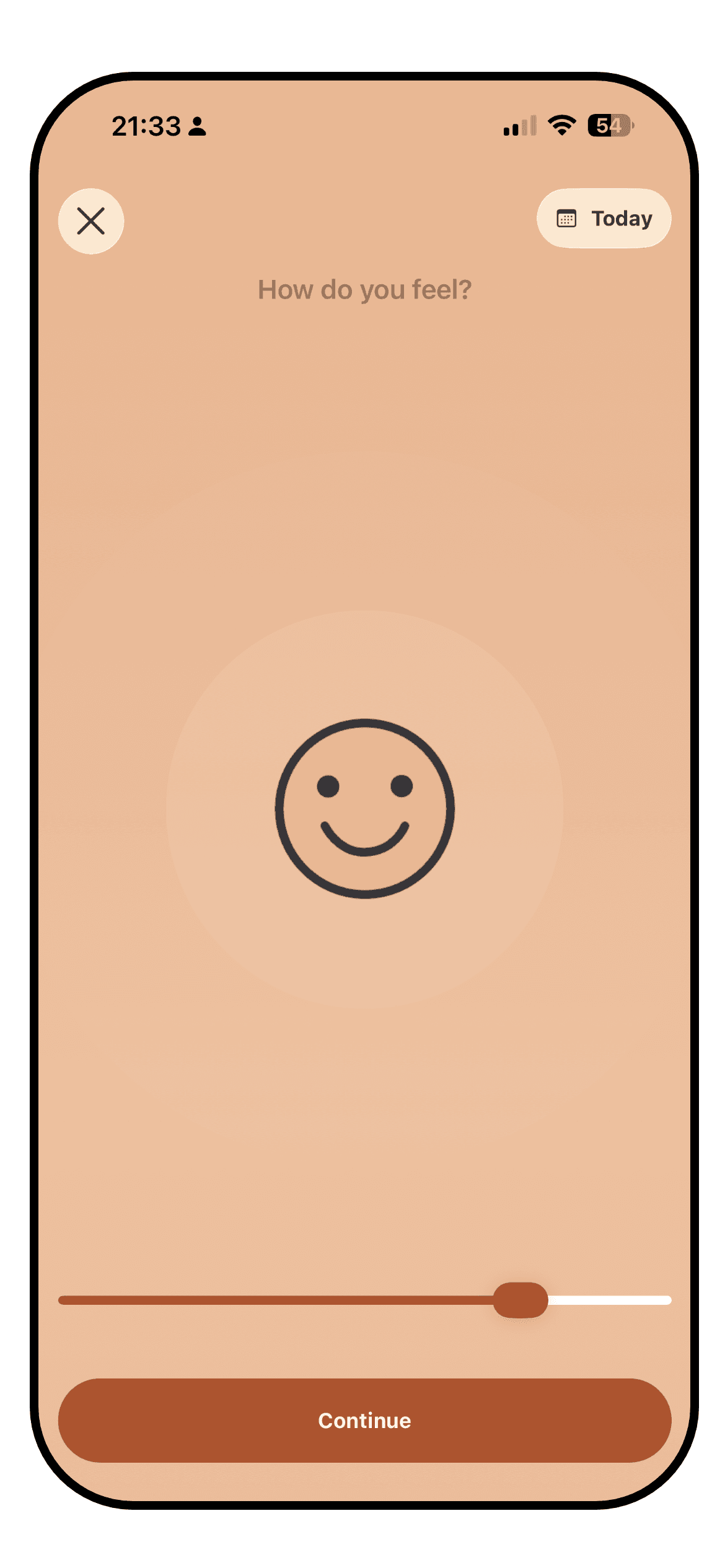
The Luci mood entry screen with the slider mid-drag and influence chips below it

Luci opens on a slider. You drag it to where your mood sits, on a simple, standard or detailed scale shown as numbers, smileys or one of the illustrated icon packs, and that drag on its own is a complete entry. Everything else is optional: the activity, emotion, people and place chips underneath, a photo, a note. The screen is warm and unhurried, with a lot of white space, and the mood is always the first thing you see.

The cost of that depth is a busier interface once you start using it fully. Chips are grouped by kind, so the entry screen grows as you add things to track, and the statistics tab is a stack of cards that rewards a scroll. Luci is calm and tidy rather than cute. If you want an app that feels like a sticker book, it is not that.

DailyBean

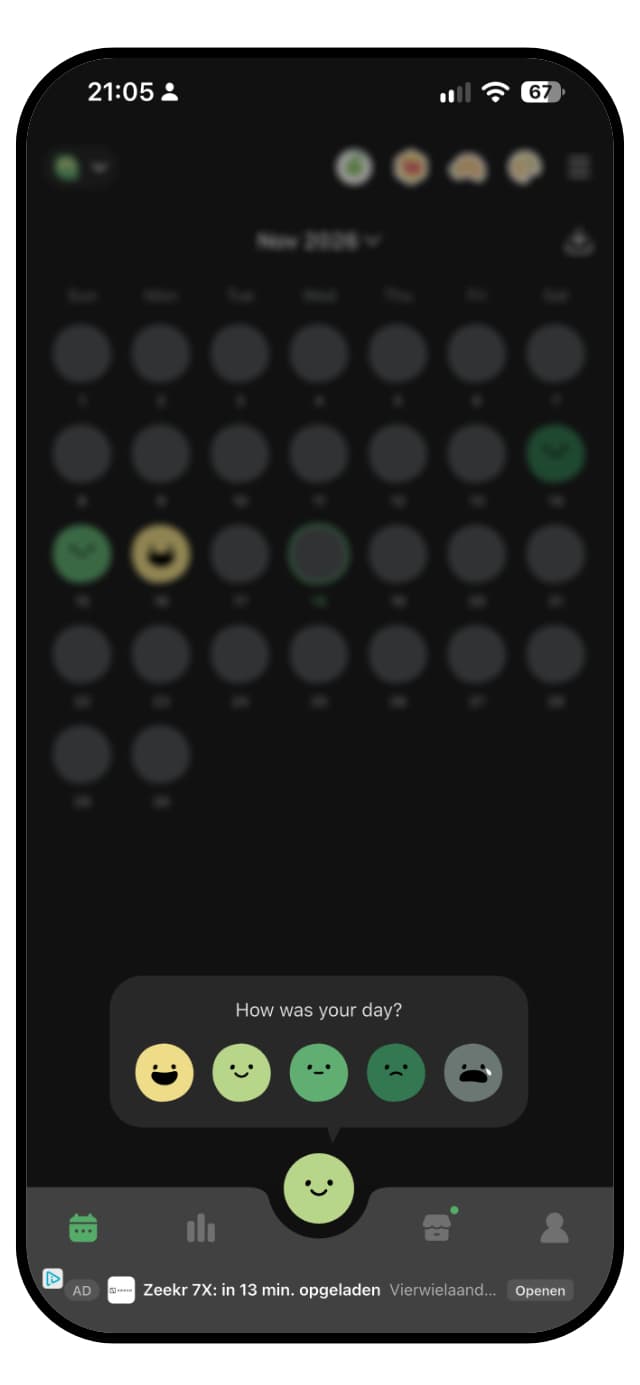
DailyBean asking how your day was, with five mood beans to choose from over the monthly calendar

DailyBean is adorable, and that is a large part of why people stay. The home screen is a monthly calendar where each day shows the mood bean you picked. Logging is a tap on a bean, then a few taps on icons grouped into blocks, and you are done. The illustrations are soft and consistent, the calendar looks good the moment it has a week of beans in it, and reviewers come back to the same words again and again: simple, cute, easy.

The free version has a catch, and it is a big one. Before an entry is saved, a video ad of about ten seconds has to play out, and since a day holds one entry, changing it later means another ad. There are more ads beyond that: a banner below the tab bar and ads shown on top of screens. The first launch opens with a cookie consent banner, like on a website, and creating an account is pushed often, though the app works without one. With the Premium Pass the ads go away and what remains is one of the friendliest check-ins on either store.

WinnerTie

A tie. DailyBean's calendar of beans is charming and quick to fill, and with the Premium Pass few mood apps are as pleasant to open. On the free tier, an ad you have to sit through before every save and more ads around the app take a lot of that away. Luci is just as quick, calmer and free of ads, but it does not have DailyBean's charm.

Insights

What you can learn from your own entries once you have a few weeks of them: charts, correlations, trends, and how clearly they are explained.

Luci

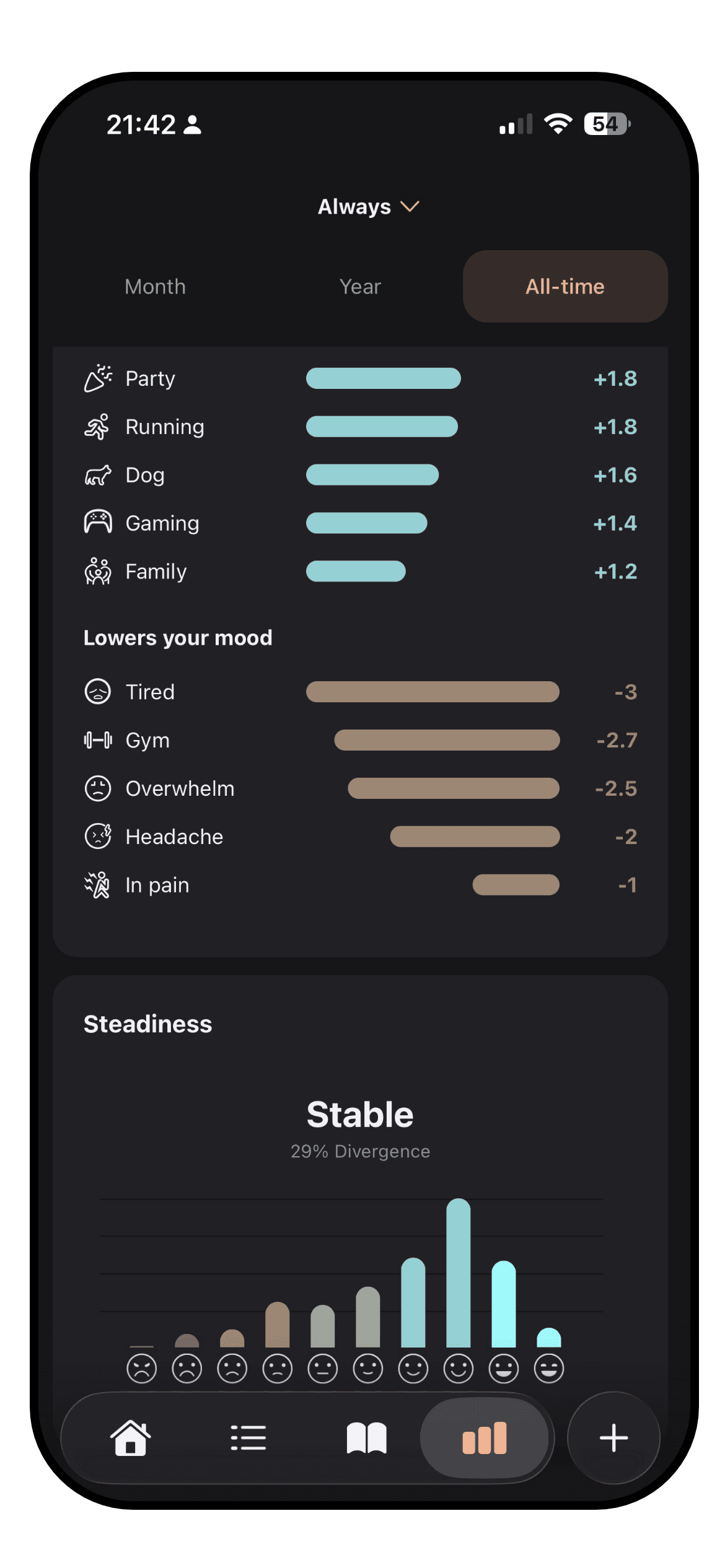
The Luci statistics screen with a trend line and ranked influences

This is the category Luci is built around. Every entry can carry a lot of information, from people, places, activities and emotions to sleep and the thoughts you had. Luci reads across all of your entries and says, in a sentence, what tracks with your better and worse days. It ranks each thing you tag by how far it shifts your average, so you can see that a particular meeting costs you more than a short night does. Each observation says how many entries it rests on, so five weeks of evidence carries more weight than five days.

Under the plain-language patterns are the charts: mood trend over any period, averages you can compare month against month, mood steadiness, time of day, day of the week, weather, location, steps and a word cloud drawn from your notes. The period in pixels view stretches from a single month to your whole history. It all runs on your phone, with no connection or account required, and the pattern discovery is part of the free app.

DailyBean

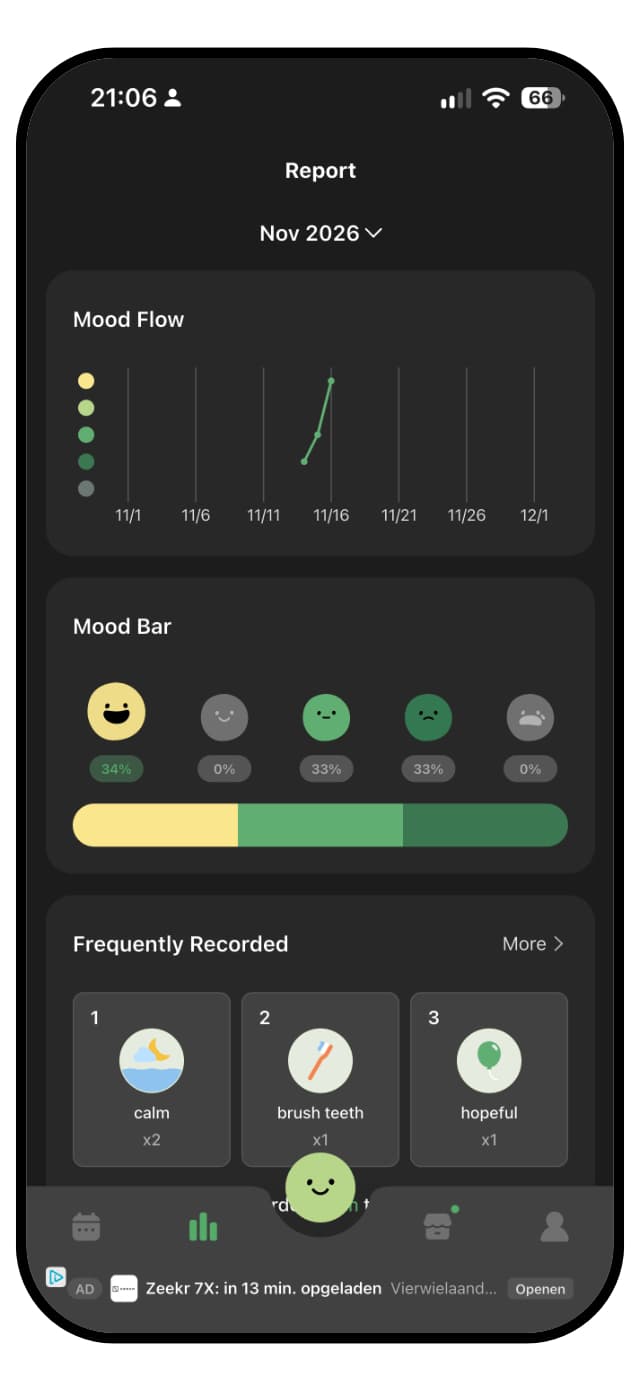
The DailyBean report with the mood flow chart and most recorded icons

DailyBean's report is well designed and easy to read. On the free tier you get monthly and yearly views, the mood flow across the month, a mood bar of how your days split, the icons you record most, and your best and worst days. A year in pixels style calendar shows the whole year at a glance, and a recap at the end of the year rounds it up.

The deeper analysis needs the Premium Pass. Icon Deep Dive, which shows how the things you log line up with your mood, sits behind it, as do the sleep and exercise analyses and moods by sleep. Even there, DailyBean shows the numbers and leaves the reading to you. There is no plain-language summary of what moves your mood, and nothing that tells you how much evidence a pattern rests on.

WinnerLuci

Luci. DailyBean's report is pretty and its free views are a good monthly recap, but the analysis that links your day to your mood is part of Premium. Luci explains its findings in sentences, ranks what moves your mood by size, and keeps that free.

Customization

What you can change: the mood scale, the things you track, the icons, the colors, the layout.

Luci

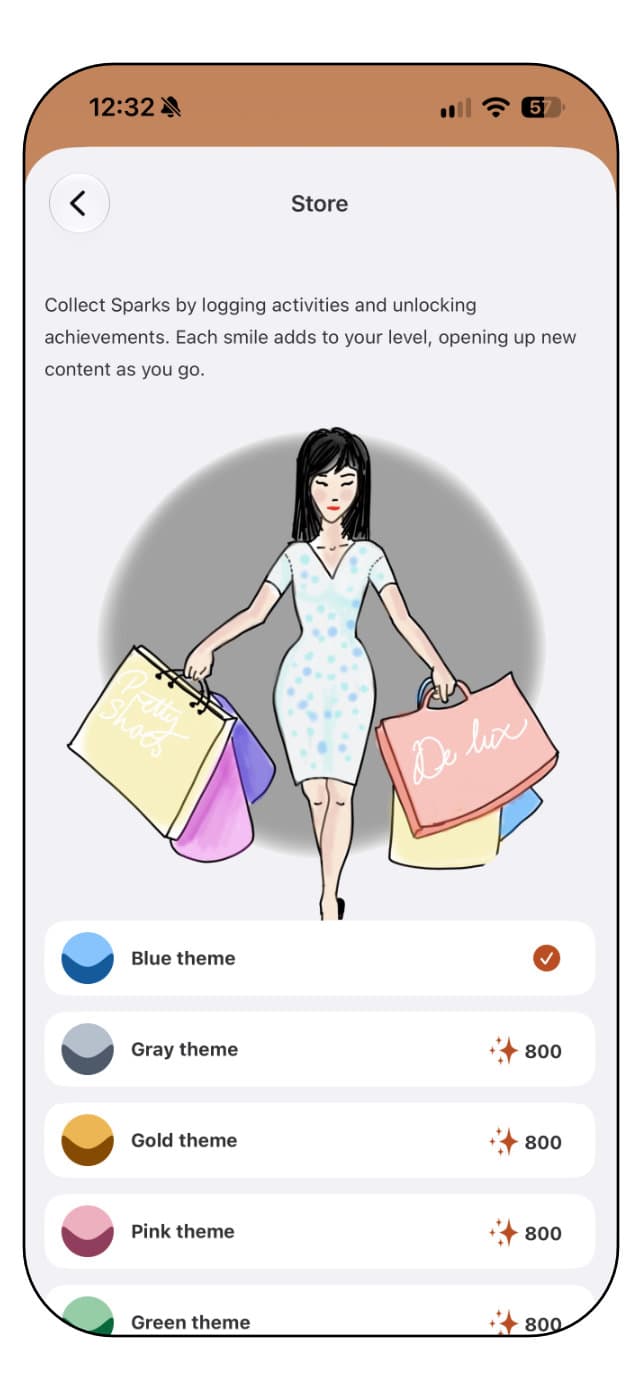
The Luci store of color themes and icon packs unlocked with Sparks

Luci lets you choose the mood scale itself: simple, standard or detailed, shown as numbers, Roman numerals, smileys, or one of five illustrated packs with cats, dogs, frogs, ghosts and glimmers. Everything you track is a chip you can add, rename, remove or pin, across activities, emotions, people, places, nutrition, physical state and thought patterns. The cards on the home screen and the statistics screen can be added, removed and reordered.

Looks are covered too. There are eight color themes, each in light and dark, and the extra themes and icon packs are unlocked with Sparks, which you earn simply by logging. Nothing in Luci's customization is sold separately, though there are fewer ways to decorate than in DailyBean.

DailyBean

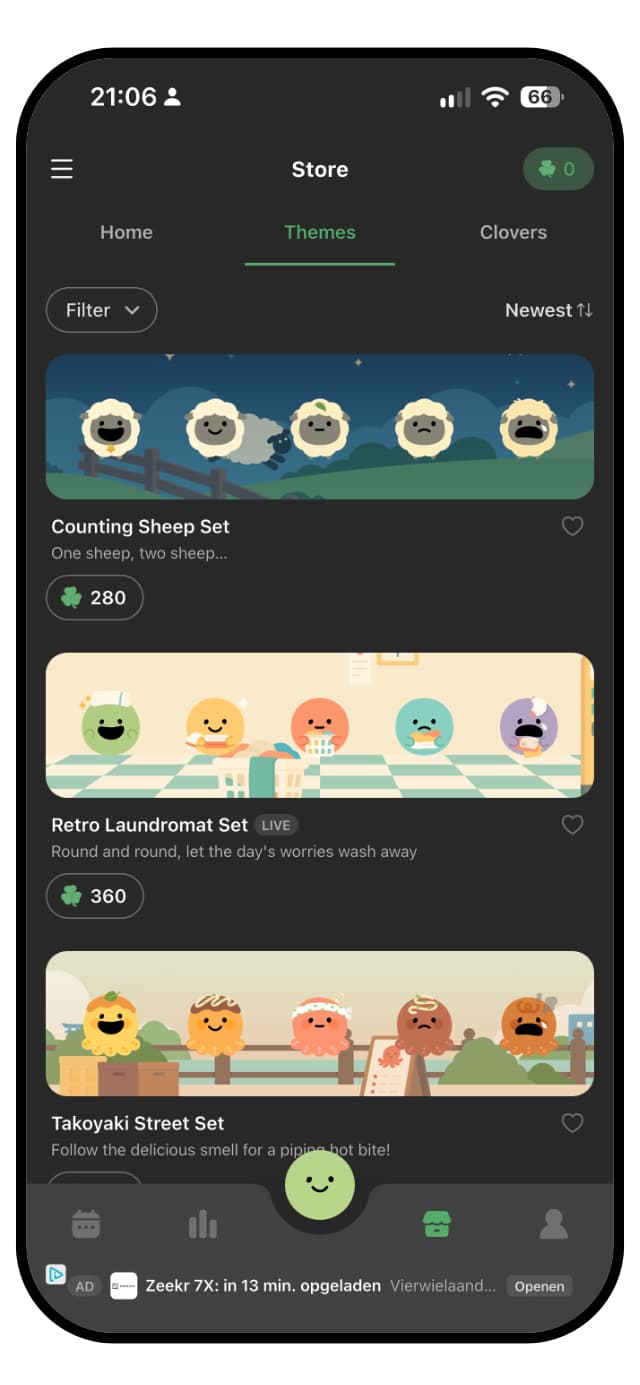
The DailyBean theme shop with calendar themes priced in Clovers

Decoration is where DailyBean shines. Monthly themes restyle the calendar and the beans, there are custom fonts, and the widgets let you set their transparency and background. Out of the box there are sixteen blocks, such as emotions, people, weather, hobbies, meals, self care, school, work and health, and you can edit their icons, hide the ones you do not need and add custom blocks of your own.

The scale stays fixed at five beans, and most themes are bought with Clovers, DailyBean's in-app currency. Clovers can be earned slowly by watching ads or bought in packs, and the Premium Pass includes a gift of them. Some subscribers are surprised that paying for the pass does not unlock every theme.

WinnerDailyBean

DailyBean. Themes, fonts, editable blocks and widget styling make it easy to make the app your own, even if much of the decoration costs Clovers. Luci lets you choose the scale and how it is drawn, and unlocks its themes by logging.

Journaling

How good it is as a journal, for people who write more than a line. Formatting, prompts, photos, voice, and reading it back.

Luci

A guided journal prompt in Luci, part-way through an answer

Luci is a journal as much as a tracker. A note can use headings, bold and italics, and carry photos and voice notes. When the blank page is the obstacle, there are over 550 guided prompts across twenty topics, from stress and grief to money and motivation, each with optional guidance on how to approach it and a short tip drawn from cognitive behavioral therapy at the end of a session. You choose the topic, or take the daily prompt.

Because prompts repeat, Luci can show what you wrote last time the same question came round, which is the clearest evidence of change most people ever get. Your notes also feed the statistics: the word cloud and the journal moments card read them back to you. And on the days you want no prompt at all, the page is blank and yours.

DailyBean

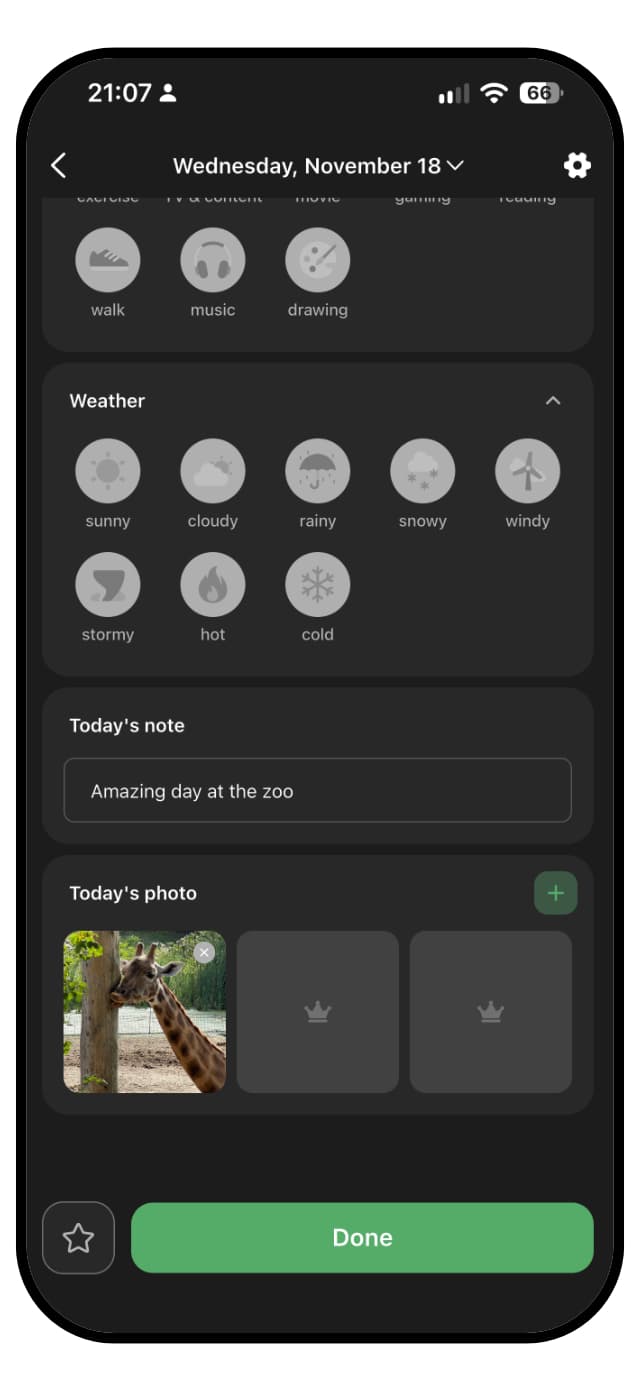
A DailyBean day with a photo and the daily note

Every day in DailyBean has a daily note and a daily photo. The note is as long as you want it to be, and the developer points out that some people write thousands of words. The free tier allows one photo a day and the Premium Pass three. Weekly challenge prompts offer a small theme to write about, and memory notifications bring an old day back so you can highlight it.

Writing is still the side dish. A day holds one entry, and logging again replaces the first, so a day that turns halfway through is still one bean and one note. There are no topics of guided prompts, no voice notes, and no way to set an old answer beside a new one. DailyBean is proud that you never have to write, and it shows.

WinnerLuci

Luci, by a distance. Over 550 guided prompts, formatting, photos and voice notes, against a note and a photo or three per day. DailyBean's note is enough for a line or two, which is what most of its users want.

Other features

Everything outside the core loop: goals and habits, reminders, widgets, articles, achievements, watch apps.

Luci

Logging a mood in the Luci app on an Apple Watch

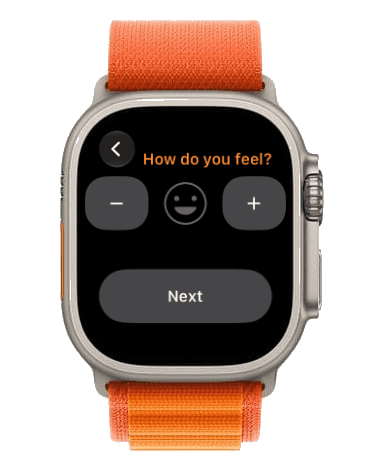
Outside the core loop Luci has home screen and lock screen widgets, an Apple Watch app with its own complications, reminders, and a set of mental health articles on topics like thinking traps and CBT that cite their sources at the foot of each piece. Logging earns Sparks, which unlock themes and icon packs, and there are achievements for keeping at it.

What Luci does not have is a habit or goal tracker. You can tag an activity and see how it moves your mood, but there is no streak to keep for drinking water or going for a run.

DailyBean

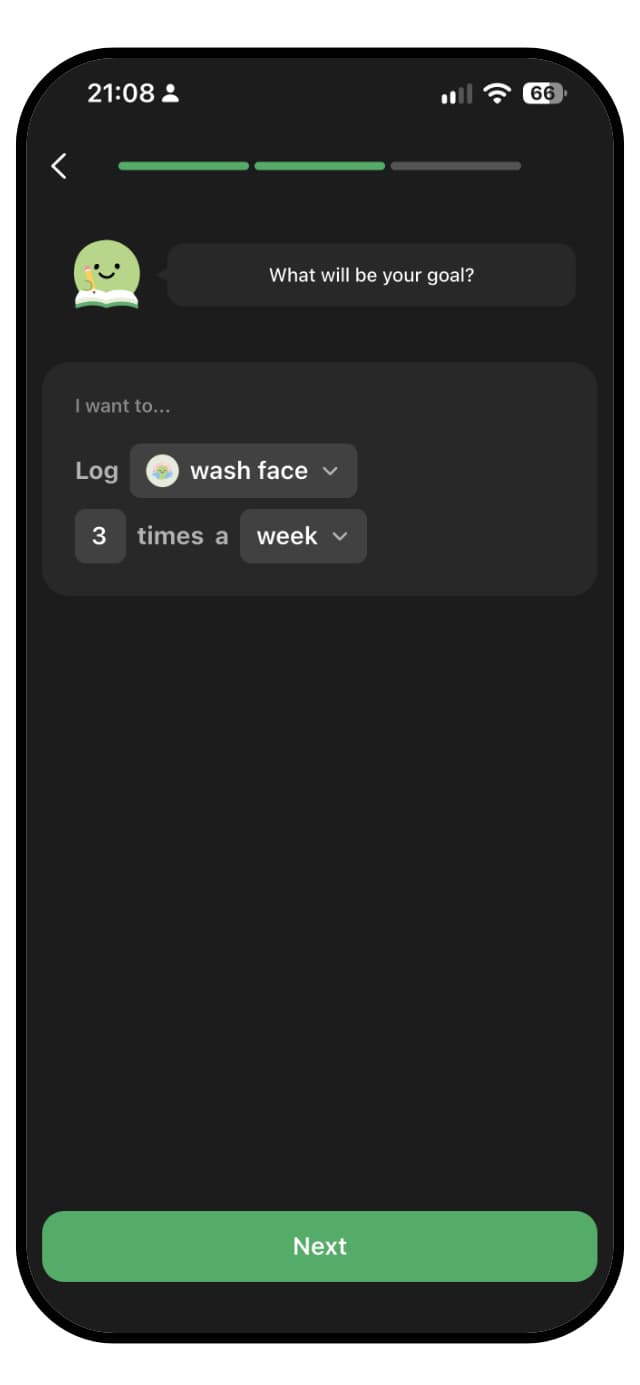
Setting a goal in DailyBean: log an activity three times a week

DailyBean keeps adding small, friendly extras. Goals, new in November 2026, and the Habit Builder widget help you build routines. A daily fortune cookie offers a kind message you can save or share, for free. Widgets let you log a bean from the home screen or show your week or month of moods. Memory notifications bring back an old day, and the yearly recap sums up the year.

There is no Apple Watch app and no library of articles. The extras are about keeping the habit warm and the record nice to look at, rather than learning about your mood.

WinnerTie

A tie. DailyBean has goals, a habit widget and a fortune cookie. Luci has a watch app, articles and achievements. Which set matters more depends on whether you want to build habits or understand your moods.

Context and integrations

How much of the world around an entry the app can capture, by hand or from your phone: sleep, steps, weather, places, people, health data.

Luci

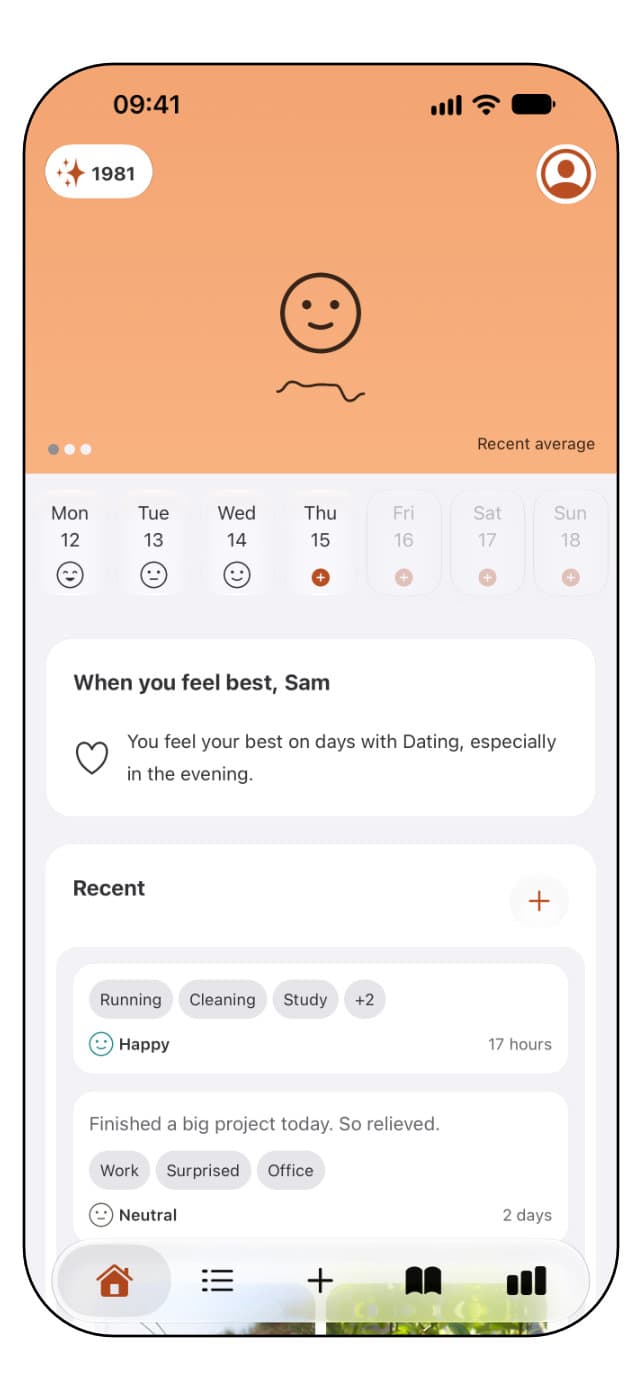
The Luci home screen with recent entries, their chips, and when you feel best

An entry in Luci can carry a lot of the world around it. People, places and activities are chips. Sleep and steps come in from Apple Health on iPhone once you allow it, so they sit beside a mood without being typed. A geotag attaches your location and the weather at the moment of writing, and a place can be pinned to a chip so it is selected automatically when you write from there. Nutrition, energy, rest and tension have their own sets, and so do recurring thought patterns like worry or self-judgement.

All of that becomes something the statistics can use. The steps card, the weather card, the location card and the people card each show how your mood moves with that input, and the impact ranking puts them all on one list. Health data read this way stays on your device. The limits are real, though. Luci reads sleep and steps only, and on Android the health connection is not currently available.

DailyBean

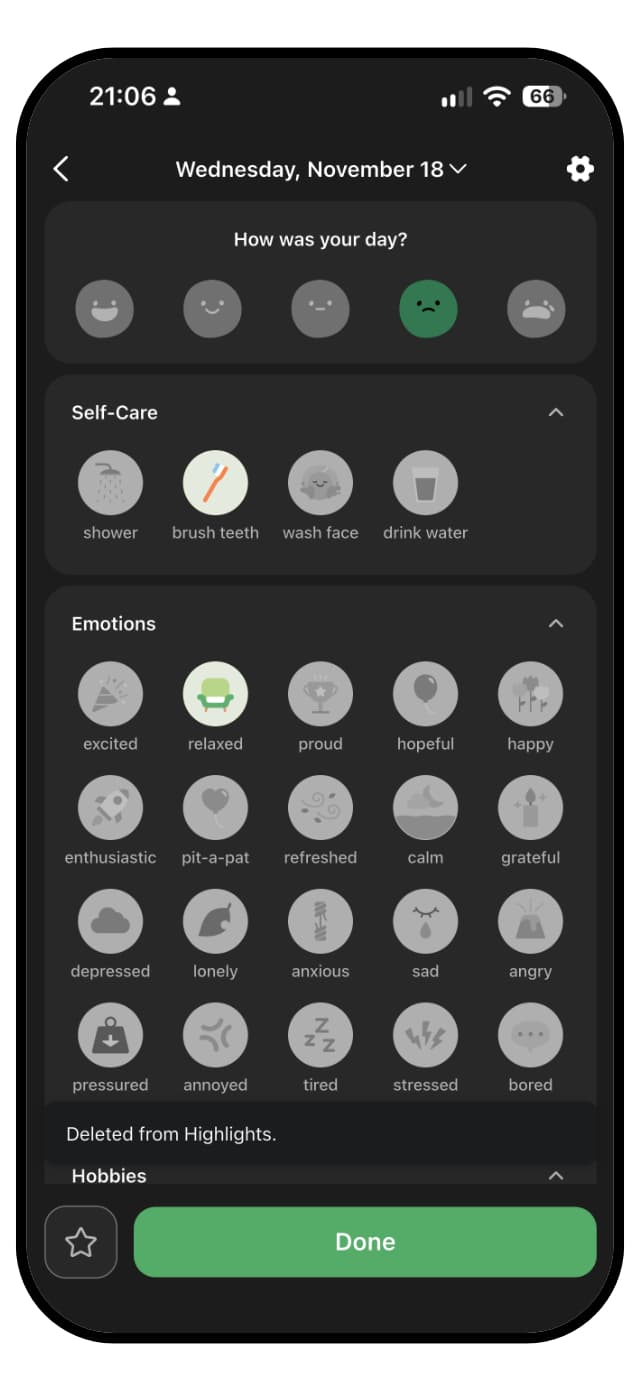
A DailyBean entry with the mood beans and the Self-Care and Emotions blocks

DailyBean's special blocks bring in more than you might expect from a cute app. Sleep, exercise and steps can sync from your phone's health data, on iPhone and on Android, and you can log a song of the day and your period. Blocks for people, weather, meals and health cover the rest by hand, and the reports now include music and steps.

There is no location or geotag, and weather is a set of tags you tap yourself, such as snowy, windy, hot or cold, with no temperature or other detail. The deeper sleep and exercise analyses are part of Premium, so on the free tier the synced data mostly sits on the calendar.

WinnerTie

A tie. DailyBean syncs exercise as well as sleep and steps on both platforms, and tracks music and your cycle. Luci records your location and the actual weather at the moment you write, treats people and places as data of their own, and analyzes all of it for free.

Privacy

Where your entries live, who can read them, whether an account is required, and how easily you can leave with your data.

Luci

Luci needs no account and no email address. Entries live on the device you wrote them on, and every statistic is calculated there too, so the app works in full with no connection. Sync is off until you turn it on. Switch it on and your journal follows you between phone, tablet and watch, encrypted, tied to an account you create at that point and not before. Nothing you write is used to train anything, and nothing is sent to a model to be read.

Leaving is a two-tap operation: export the lot as a readable PDF or as a backup file you can import again later. If you never turned sync on, there was never anything on our side to delete; if you did, there is a page in the footer that explains exactly how to remove it. Purchases go through Apple or Google, and crash reports are optional and carry no journal content.

DailyBean

DailyBean works without an account, though it asks you to create one often. With an account your records are stored there, which is what lets you log in on a new phone and find everything. You can lock the app with a passcode or Face ID, and your entries are only visible to others if you choose to share them.

The free version is funded by ads, and that brings a lot of third-party code into a journal. The app opens with a cookie consent banner, and DailyBean's App Store privacy label says identifiers and usage data may be used to track you across other companies' apps and websites, and lists health and fitness data, contact info and your content as linked to you. Independent scans of the Android app find several ad networks and attribution tools. None of that means anyone reads your notes, but it is a long way from on-device only.

WinnerLuci

Luci. DailyBean pushes you toward an account and lists tracking identifiers and several ad and analytics tools. Luci needs no account, analyzes on your phone, and syncs only if you ask it to.

Platforms

Where the app runs: iPhone, Android, iPad, watch, desktop, and whether your entries follow you between them.

Luci

iPhone, iPad, Apple Watch with its own app and complications, Mac with Apple silicon, Apple Vision, and Android. With sync on, one journal across all of them. Widgets on iOS and Android home screens, and the app in fourteen languages.

DailyBean

iPhone, iPad, Mac with Apple silicon, Apple Vision and Android. There is no Apple Watch app. Sync across up to five devices comes with the Premium Pass. Nine languages, including Korean, Japanese and Chinese.

WinnerLuci

Luci. Both cover iPhone, iPad, Mac, Vision and Android. Luci adds a watch app and more languages.

Pricing

What is free, what is paid, and roughly what the paid tier costs. Prices vary by country, so these are the options and a rough figure, not a quote.

Luci

Free, with no account, no ads and no time limit: mood logging, journaling, photos and voice notes, the statistics and pattern discovery, six of the twenty prompt topics, widgets and the watch app. Luci Premium adds sync across devices, the remaining guided prompt topics and the advanced statistics.

Premium is a subscription at roughly $6 a month or $35 a year, or a one-off lifetime purchase at roughly $200. A subscription bought on one platform works on the other once you sign in. There are also optional tips, which buy nothing and simply support a small team.

DailyBean

DailyBean is free to download and to use every day, with ads. The free tier includes logging, blocks, the basic report and one photo a day. The price is the ads: one you have to watch before each save, and more around the app.

The Premium Pass removes the ads and adds the in-depth analysis, three photos a day, sync across up to five devices and a gift of Clovers. A month costs roughly $4 to $7. The yearly price moves around a lot: the US store lists several annual passes between roughly $20 and $50, and in Europe we saw a full price of about €84 offered for about €20 for a limited time, so DailyBean seems to be testing its prices. There is no lifetime option. Most themes are bought separately with Clovers, at roughly $2 for 100 or $5 for 300.

WinnerLuci

Luci. Luci's free tier has no ads and includes the pattern analysis, there is a lifetime option, and its themes are earned rather than bought. DailyBean's yearly pass can be cheaper than Luci's when it is on offer, and much dearer when it is not.

The short version

Every category from the page above, in one table. Stars are our rating on a five-point scale; platforms and pricing are listed as they are.

CategoryLuciDailyBeanWinner
Look and feelSlider entry, warm and roomy, busier once fully set upCute bean calendar; on free, an ad before every save and ads throughoutTie
InsightsPlain-language patterns, ranked influences, trends, freeMonthly recap free; icon, sleep and exercise analysis on PremiumLuci
CustomizationThree scales, eight icon sets, eight themes, custom chips, movable cardsThemes, fonts, 16 editable blocks, custom blocks; themes for CloversDailyBean
JournalingRich text, photos, voice, 550+ prompts, compare past answersOne note a day, 1 photo free or 3 on Premium, weekly promptsLuci
Other featuresWatch app, widgets, articles, achievements, SparksGoals, habit widget, mood widgets, fortune cookie, memoriesTie
Context and integrationsApple Health sleep and steps, weather, geotag, people, placesSynced sleep, exercise and steps; music, cycle, icon blocksTie
PrivacyOn device, no account, on-device analysis, opt-in encrypted syncAccount pushed but optional, passcode lock, ad and tracking SDKsLuci
PlatformsiOS, iPadOS, Android, Apple Watch, Mac, VisioniOS, iPadOS, Android, Mac, Vision; no watch appLuci
PricingFree core, no ads; Premium ~$6/mo, ~$35/yr, ~$200 lifetimeFree with ads; Pass ~$4 to $7/mo, yearly from ~$20 on offer; Clovers for themesLuci

Conclusion

On the count, Luci takes five categories, DailyBean takes one, and three are tied. Both apps want your check-in to take seconds, and both succeed. DailyBean turns that habit into something cute and cozy you look forward to, best enjoyed with the Premium Pass. Luci turns it into something you learn from, with no ads, and keeps it on your phone.

Where Luci is stronger

  • Insight in plain words. It explains what moves your mood, ranks it by size, and keeps pattern discovery free.
  • Journaling. Over 550 guided prompts, formatting, photos, voice notes, and what you wrote last time the same question came round.
  • Privacy. No account, no ads, analysis on your phone, and sync only when you turn it on.
  • Reach. A watch app, a finer mood scale, location and weather on entries, and fourteen languages.

Where DailyBean is stronger

  • Charm. The bean calendar is one of the friendliest ways to keep a mood record.
  • Decoration. Monthly themes, fonts, widgets and editable blocks make it feel like yours.
  • Habits. Goals and the habit widget sit right beside your moods.
  • Health extras. Exercise sync, a song of the day and cycle tracking in the same entry.

Choose Luci if

  • You want to know why some days are harder, and would like the app to explain what it found in plain words.
  • You want to write, with a prompt when you need one and a blank page when you do not.
  • You would rather keep your journal on your phone, with no account, no ads and no tracking.
  • You wear an Apple Watch, want a finer scale than five moods, or log more than once a day.

Choose DailyBean if

  • A cute, decorated calendar is what keeps you coming back.
  • You want to build habits and goals in the same app as your moods.
  • You hardly want to write at all, and a few icons a day is the journal you want.
  • You are happy to pay for the Premium Pass, or do not mind sitting through an ad before each save.

A fair way to decide is to ask what you want back from your entries. If the answer is “a sweet little ritual and a calendar I enjoy looking at”, DailyBean is hard to beat. If the answer is “to understand what in my days is behind my moods”, Luci is built for that, and does it on your phone. Both are free to try, and a week of your own entries in each is a better test than any page.

How this comparison was made

Both apps were used side by side on the versions above, on an iPhone, with the free tier and the paid tier of each. Ratings are on the same five-point scale used across every comparison on this site. DailyBean is a registered product of its maker and is not affiliated with Luci. Prices are rough US figures and change by country; check the store listing for yours.

Common questions

  • Is DailyBean free?

    Yes, with ads. You can log every day, use the blocks and see the basic report for free, and a short video ad plays before each entry is saved. The Premium Pass removes the ads and adds the in-depth analysis, more photos and sync, and themes are bought with Clovers. Luci is free to use with no ads, including pattern discovery, photos and voice notes, and an optional Premium tier for sync, the full set of prompt topics and the advanced statistics.

  • Can I move my entries from DailyBean to Luci?

    Not directly at the moment. Luci can import from Daylio and Pixels, and if you would like DailyBean on that list, tell us at [email protected], because requests are how features get prioritized.

  • Does Luci have a calendar of moods like DailyBean?

    Yes. Luci's period in pixels colors one square per day by your mood and can show a single month, a year or your whole history. If you log more than once a day, it averages the day into one square. It sits on the statistics tab, beside the patterns that help explain it.

  • Can I use Luci and DailyBean together?

    You can. Some people keep DailyBean for the calendar and the habits they have built there, and use Luci for journaling and finding patterns. It does mean logging your mood twice, so most people settle on one after a few weeks.

  • How current is this comparison?

    The date and version numbers at the top are the honest answer. DailyBean ships often and added goals, weekly challenges and new reports in 2026 alone. If you spot something that is no longer true, we would rather hear about it than have you rely on it.

Try Luci for yourself

Free, works offline, no account needed. The fairest comparison is a week of your own entries.

Download Luci on the App StoreGet Luci on Google Play